Menu


Trending Top Sellers
$135/Month BAi THE MIRROR Commercial Embroidery Machine - 15-Needle Custom Apparel & Structured Hat System - NEW


$135/Month BAi THE MIRROR Commercial Embroidery Machine - 15-Needle Custom Apparel & Structured Hat System - NEW
- Price
- $135
$175/Month BAi THE VISION 15-Needle Single-Head Embroidery Machine - 15.7" x 19.7" Commercial Apparel System - NEW


$175/Month BAi THE VISION 15-Needle Single-Head Embroidery Machine - 15.7" x 19.7" Commercial Apparel System - NEW
- Price
- $175
$219/Month BAi THE VISION 2 Dual-Head Commercial Embroidery Machine - Dual-Head 15-Needle Custom Apparel System - NEW


$219/Month BAi THE VISION 2 Dual-Head Commercial Embroidery Machine - Dual-Head 15-Needle Custom Apparel System - NEW
- Price
- $219
$890/month NEW - IN STOCK -Mimaki 64" Hybrid – Complete Turnkey Package | UJ330H-160 Hybrid UV-LED Printer


$890/month NEW - IN STOCK -Mimaki 64" Hybrid – Complete Turnkey Package | UJ330H-160 Hybrid UV-LED Printer
$185/Month New Mimaki DTF TxF300-75 32" High-Speed Dual Printheads DTF Printer


Sale


$185/Month New Mimaki DTF TxF300-75 32" High-Speed Dual Printheads DTF Printer
PROMO: $285/month New Mimaki DTF TxF300-75 32" DTF BUNDLE DTF PRINTER (DIRECT-TO-FILM) Dual Print Heads with Miro 36 Shaker Bundle


Sale


PROMO: $285/month New Mimaki DTF TxF300-75 32" DTF BUNDLE DTF PRINTER (DIRECT-TO-FILM) Dual Print Heads with Miro 36 Shaker Bundle
- Sale price
- $285
- Regular price
- $695
PROMO: $268/month New Mimaki DTF TxF300-75 32" DTF BUNDLE DTF PRINTER (DIRECT-TO-FILM) Dual Print Heads with Miro 24 Shaker Bundle

Sale

PROMO: $268/month New Mimaki DTF TxF300-75 32" DTF BUNDLE DTF PRINTER (DIRECT-TO-FILM) Dual Print Heads with Miro 24 Shaker Bundle
- Sale price
- $268
- Regular price
- $28,600
$495/month - 4'x8' Plytronix Flatbed Cutter TX-1325 (4.26 ft x8.2 ft ) High-Precision Digital Flatbed Cutting Machine with Automated Finishing System Utilizes Interchangeable Tool Heads


$495/month - 4'x8' Plytronix Flatbed Cutter TX-1325 (4.26 ft x8.2 ft ) High-Precision Digital Flatbed Cutting Machine with Automated Finishing System Utilizes Interchangeable Tool Heads
- Price
- $495
New Prisma Auto Clam Slider 110V 16X20" Inch DTF Heat-Press GS-105HS-Grey/Black With Auto Open Slider Feature And Pressure Sensor


Sale


New Prisma Auto Clam Slider 110V 16X20" Inch DTF Heat-Press GS-105HS-Grey/Black With Auto Open Slider Feature And Pressure Sensor
- Sale price
- $1,690
- Regular price
- $1,986
$99/month - JAGUAR 70" AUTOMOTIVE SPECIAL EDITION PPF/TINT Cutter Plotter with Anti-Static kit and Tint Velvet Film.


Sale


$99/month - JAGUAR 70" AUTOMOTIVE SPECIAL EDITION PPF/TINT Cutter Plotter with Anti-Static kit and Tint Velvet Film.
- Sale price
- $99
- Regular price
- $145
$99/Month - (FREE SHAKER) DTF x2 Epson Print Heads (110V) YINSTAR A3 13" DTF PRINTER


Sale


$99/Month - (FREE SHAKER) DTF x2 Epson Print Heads (110V) YINSTAR A3 13" DTF PRINTER
- Sale price
- $99
- Regular price
- $185
From $99/month - New Prestige R1 13" DTF Printer Bundle - Includes Prestige R1 DTF Printer, Startup Package and Compatible Machine Options -MC


From $99/month - New Prestige R1 13" DTF Printer Bundle - Includes Prestige R1 DTF Printer, Startup Package and Compatible Machine Options -MC
- Price
- From $99
From $149/month New Prestige R2 PRO 13.75" WITH CUTTER DTF Printer 110V A3+ with Bundle options -MC


From $149/month New Prestige R2 PRO 13.75" WITH CUTTER DTF Printer 110V A3+ with Bundle options -MC
- Price
- From $149
From $417/Month 9-Colour BUNDLE 24" Prestige XL2 PRO New DTF Station Printer with Automatic Powder Applicator/Shaker/Oven/Purifier -MC


From $417/Month 9-Colour BUNDLE 24" Prestige XL2 PRO New DTF Station Printer with Automatic Powder Applicator/Shaker/Oven/Purifier -MC
- Price
- From $417
From $497/month - 9 COLORS Prestige XL3 with 3 Epson i3200 DTF Printer Bundle with Auto Powder Shaker/Oven


From $497/month - 9 COLORS Prestige XL3 with 3 Epson i3200 DTF Printer Bundle with Auto Powder Shaker/Oven
- Price
- From $497
NEW JAGUAR 70" AUTOMOTIVE SPECIAL EDITION PPF/TINT Cutter Plotter with Anti-Static kit and Tint Velvet Film.
Sale
NEW JAGUAR 70" AUTOMOTIVE SPECIAL EDITION PPF/TINT Cutter Plotter with Anti-Static kit and Tint Velvet Film.
- Sale price
- $5,980
- Regular price
- $6,980
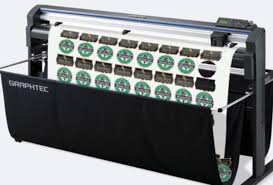
$169/MONTH NEW 64" Graphtec FC9000-160 For Automotive Professionals with 50 ft accurate tracking of Window Tint, PPF Film & Vinyl. Roll-fed Cutting Plotter

Sale

$169/MONTH NEW 64" Graphtec FC9000-160 For Automotive Professionals with 50 ft accurate tracking of Window Tint, PPF Film & Vinyl. Roll-fed Cutting Plotter
- Sale price
- $169
- Regular price
- $225
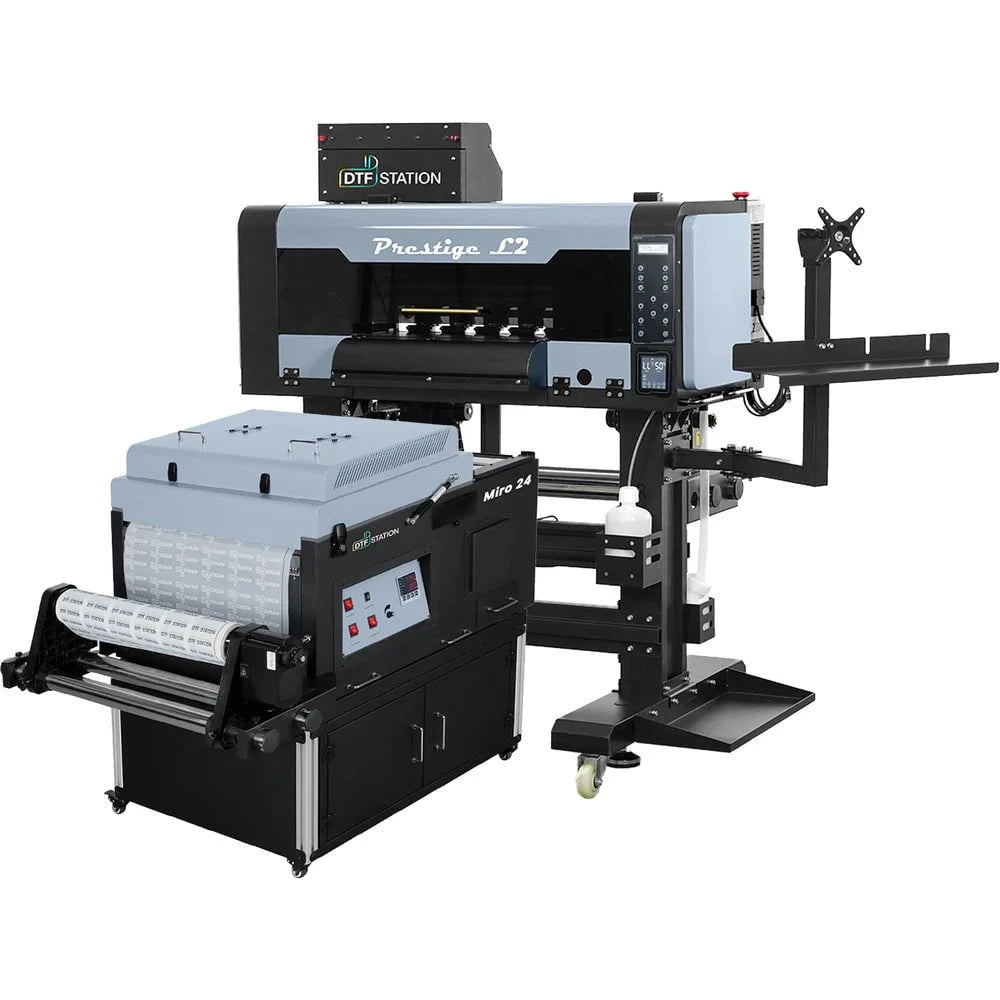
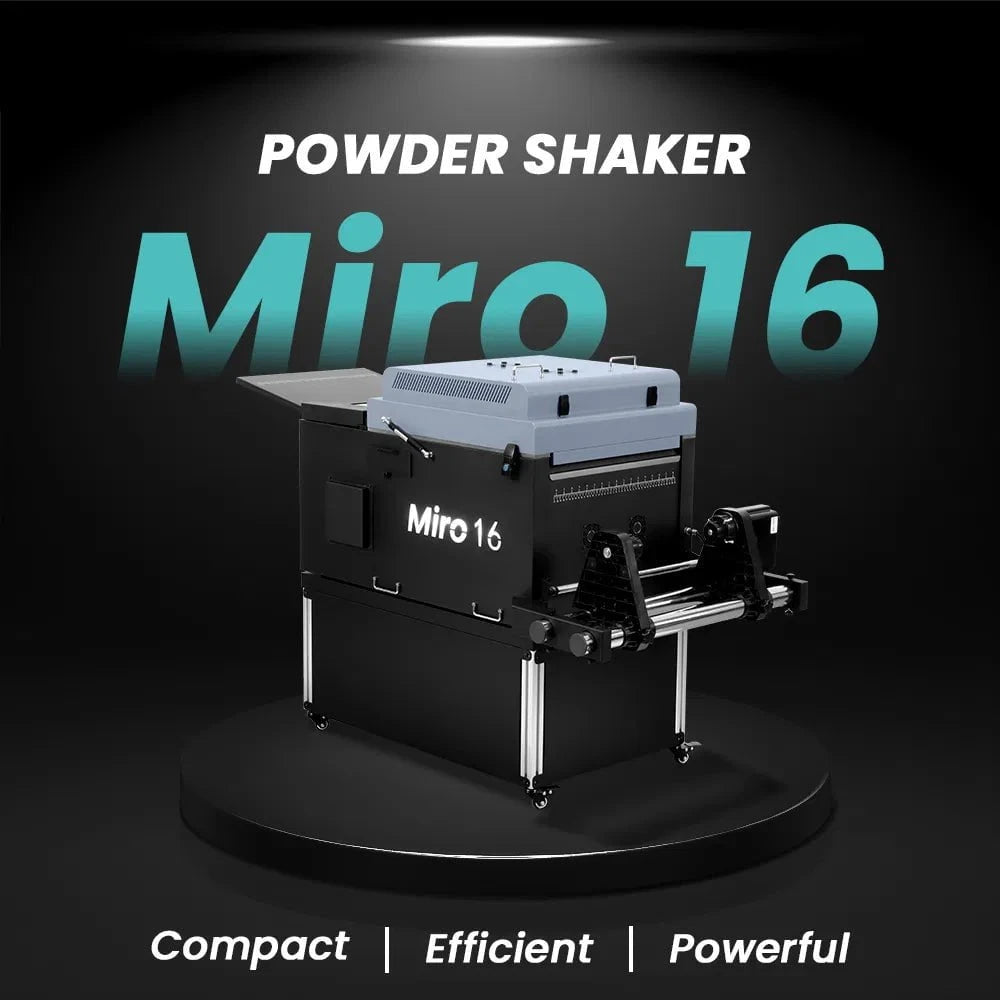
$379/month Prestige L2 18.5" DTF Printer Dual i3200 with Miro 16 Automatic Powder Applicator/Shaker oven and Built-In Oven
Sale
$379/month Prestige L2 18.5" DTF Printer Dual i3200 with Miro 16 Automatic Powder Applicator/Shaker oven and Built-In Oven
- Sale price
- $379
- Regular price
- $465
$195/Month 27" IN-STOCK Yinstar High Precision 27" Commercial Production DTF Printer with 2x i3200-A1 Epson Printheads DTF Powder Shaker.


Sale


$195/Month 27" IN-STOCK Yinstar High Precision 27" Commercial Production DTF Printer with 2x i3200-A1 Epson Printheads DTF Powder Shaker.
- Sale price
- $195
- Regular price
- $249
$247/Month 24" IN-STOCK Yinstar WI-FI DTF Printer with 2x Epson I3200 Print Heads Including DTF Powder Shaker Machine with Air Filter and Auto Powder Recycling System


Sale


$247/Month 24" IN-STOCK Yinstar WI-FI DTF Printer with 2x Epson I3200 Print Heads Including DTF Powder Shaker Machine with Air Filter and Auto Powder Recycling System
- Sale price
- $247
- Regular price
- $350
Boost Your Office Productivity with Ricoh Color Office Printers

In today's fast-paced business world, office productivity is a key factor in achieving success. One often overlooked aspect of productivity is the efficiency of office printing. Many businesses rely heavily on printed documents for various purposes, such as presentations, reports, and marketing materials. Investing in the right office printer can significantly boost productivity and streamline workflow. Ricoh, a leading provider of office printing solutions, offers a range of color office printers that are designed to enhance productivity and deliver exceptional print quality. In this article, we will explore the benefits of Ricoh color office printers and how they can help you maximize efficiency in your workplace.
Table of Contents
- Introduction
- Importance of Office Productivity
- The Role of Printers in Office Productivity
- Introducing Ricoh Color Office Printers
- Features and Benefits
- High-Speed Printing
- Superior Print Quality
- Advanced Paper Handling
- User-Friendly Interface
- Cost Efficiency
- Boosting Efficiency with Ricoh Color Office Printers
- Streamlined Workflows
- Time and Resource Savings
- Enhanced Collaboration
- Customization Options
- Mobile Printing Capabilities
- Choosing the Right Ricoh Color Office Printer
- Assessing Your Printing Needs
- Understanding Printer Specifications
- Consulting with Ricoh Experts
- Conclusion
- Frequently Asked Questions (FAQs)
- Can I connect my Ricoh color office printer to my mobile device?
- Are Ricoh color office printers suitable for high-volume printing?
- How often should I perform maintenance on my Ricoh color office printer?
- Can I use third-party ink cartridges with my Ricoh color office printer?
- What is the warranty coverage for Ricoh color office printers?
Introduction
In the modern office environment, efficiency and productivity are vital for meeting deadlines, delivering high-quality work, and staying ahead of the competition. An often-overlooked factor in achieving productivity is the office printer. Investing in a reliable and feature-rich printer can have a significant impact on your daily operations.
Importance of Office Productivity
Office productivity directly affects the overall performance and success of a business. A productive workplace ensures that tasks are completed efficiently, deadlines are met, and employees can focus on high-value work. Productivity improvements can lead to cost savings, increased revenue, and a competitive advantage in the market.
The Role of Printers in Office Productivity
Printers play a crucial role in office productivity by enabling the quick and accurate reproduction of important documents. From memos and reports to marketing materials and presentations, printers are essential for communicating ideas and sharing information. A slow or unreliable printer can disrupt workflow and cause unnecessary delays.
Introducing Ricoh Color Office Printers
Ricoh, a trusted name in the printing industry, offers a wide range of color office printers designed to meet the diverse needs of businesses. These printers combine advanced technology with user-friendly features to deliver outstanding performance and print quality.
Features and Benefits
1. High-Speed Printing
Ricoh color office printers are equipped with high-speed printing capabilities, allowing you to produce documents quickly without compromising quality. This feature is especially beneficial for time-sensitive projects and high-volume printing tasks.
2. Superior Print Quality
With Ricoh's advanced printing technology, you can expect vibrant colors, sharp text, and detailed graphics in your prints. The exceptional print quality ensures that your documents leave a lasting impression on clients, partners, and colleagues.
3. Advanced Paper Handling
Ricoh color office printers are designed to handle a wide range of paper sizes and types. Whether you need to print on standard letter-sized paper, envelopes, or glossy brochures, these printers can accommodate your requirements with ease.
4. User-Friendly Interface
Navigating through the printer's settings and options is made effortless with Ricoh's intuitive user interface. The user-friendly design ensures that anyone in your office can operate the printer efficiently, reducing the need for extensive training.
5. Cost Efficiency
Ricoh color office printers are engineered to optimize cost efficiency. With features like duplex printing and energy-saving modes, you can reduce paper and energy consumption, leading to lower operating costs in the long run.
Boosting Efficiency with Ricoh Color Office Printers
By incorporating Ricoh color office printers into your workflow, you can experience a significant boost in efficiency and productivity. Let's explore some key ways in which these printers can enhance your office operations:
1. Streamlined Workflows
Ricoh color office printers offer seamless integration with various document management systems and software solutions. This integration streamlines your document workflows, making it easier to print, scan, and share files across your organization.
2. Time and Resource Savings
With high-speed printing capabilities and advanced features like automatic document feeders, Ricoh color office printers save valuable time and resources. Tasks that would otherwise be time-consuming, such as printing large documents or scanning multiple pages, can be completed quickly and efficiently.
3. Enhanced Collaboration
The ability to produce high-quality prints in-house enables faster collaboration among team members. With Ricoh color office printers, you can easily print drafts, visuals, and other materials for brainstorming sessions, presentations, and client meetings.
4. Customization Options
Ricoh color office printers offer various customization options to suit your specific printing needs. From adjusting print settings to creating custom paper sizes and layouts, you have the flexibility to tailor your prints according to your requirements.
5. Mobile Printing Capabilities
In today's mobile-driven world, the ability to print from smartphones and tablets is essential. Ricoh color office printers support mobile printing technologies, allowing you and your employees to print directly from mobile devices, regardless of your location within the office.
Choosing the Right Ricoh Color Office Printer
To maximize the benefits of Ricoh color office printers, it's essential to choose the right model for your specific needs. Consider the following factors when selecting a printer:
1. Assessing Your Printing Needs
Evaluate your printing requirements, such as the volume of prints, types of documents, and desired print quality. This assessment will help you identify the most suitable printer model for your office.
2. Understanding Printer Specifications
Take into account the printer's specifications, including print speed, resolution, paper handling capabilities, and connectivity options. Ensure that the printer meets your specific requirements and can handle your expected workload.
3. Consulting with Ricoh Experts
If you're unsure about which Ricoh color office printer to choose, consult with Ricoh experts or authorized resellers. They can provide personalized guidance based on your needs and help you make an informed decision.
Conclusion
Investing in a high-quality color office printer can significantly enhance your office productivity. Ricoh color office printers offer advanced features, superior print quality, and user-friendly interfaces to streamline your workflow and boost efficiency. By selecting the right Ricoh printer model for your specific needs, you can unlock the full potential of your office printing capabilities.
Frequently Asked Questions (FAQs)
1. Can I connect my Ricoh color office printer to my mobile device?
- Yes, Ricoh color office printers support mobile printing capabilities. You can easily connect your smartphone or tablet to the printer and print documents directly from your mobile device.
2. Are Ricoh color office printers suitable for high-volume printing?
- Yes, Ricoh color office printers are designed to handle high-volume printing tasks efficiently. They offer fast printing speeds and robust paper handling capabilities, making them suitable for demanding printing environments.
3. How often should I perform maintenance on my Ricoh color office printer?
- Regular maintenance is crucial to keep your Ricoh color office printer in optimal condition. Follow the manufacturer's guidelines and schedule routine maintenance tasks, such as cleaning the printer, replacing consumables, and updating firmware.
4. Can I use third-party ink cartridges with my Ricoh color office printer?
- It is recommended to use genuine Ricoh ink cartridges to ensure optimal print quality and printer performance. While third-party cartridges may be compatible, they can affect print quality and potentially void the printer's warranty.
5. What is the warranty coverage for Ricoh color office printers?
- Ricoh offers warranty coverage for their color office printers. The duration and specific terms of the warranty may vary depending on the printer model and region. It is advisable to review the warranty information provided by Ricoh or consult with the authorized reseller for detailed coverage details.
- Choosing a selection results in a full page refresh.