Menu


Trending Top Sellers
$135/Month BAi THE MIRROR Commercial Embroidery Machine - 15-Needle Custom Apparel & Structured Hat System - NEW


$135/Month BAi THE MIRROR Commercial Embroidery Machine - 15-Needle Custom Apparel & Structured Hat System - NEW
- Price
- $135
$175/Month BAi THE VISION 15-Needle Single-Head Embroidery Machine - 15.7" x 19.7" Commercial Apparel System - NEW


$175/Month BAi THE VISION 15-Needle Single-Head Embroidery Machine - 15.7" x 19.7" Commercial Apparel System - NEW
- Price
- $175
$219/Month BAi THE VISION 2 Dual-Head Commercial Embroidery Machine - Dual-Head 15-Needle Custom Apparel System - NEW


$219/Month BAi THE VISION 2 Dual-Head Commercial Embroidery Machine - Dual-Head 15-Needle Custom Apparel System - NEW
- Price
- $219
$890/month NEW - IN STOCK -Mimaki 64" Hybrid – Complete Turnkey Package | UJ330H-160 Hybrid UV-LED Printer


$890/month NEW - IN STOCK -Mimaki 64" Hybrid – Complete Turnkey Package | UJ330H-160 Hybrid UV-LED Printer
$185/Month New Mimaki DTF TxF300-75 32" High-Speed Dual Printheads DTF Printer


Sale


$185/Month New Mimaki DTF TxF300-75 32" High-Speed Dual Printheads DTF Printer
PROMO: $285/month New Mimaki DTF TxF300-75 32" DTF BUNDLE DTF PRINTER (DIRECT-TO-FILM) Dual Print Heads with Miro 36 Shaker Bundle


Sale


PROMO: $285/month New Mimaki DTF TxF300-75 32" DTF BUNDLE DTF PRINTER (DIRECT-TO-FILM) Dual Print Heads with Miro 36 Shaker Bundle
- Sale price
- $285
- Regular price
- $695
PROMO: $268/month New Mimaki DTF TxF300-75 32" DTF BUNDLE DTF PRINTER (DIRECT-TO-FILM) Dual Print Heads with Miro 24 Shaker Bundle

Sale

PROMO: $268/month New Mimaki DTF TxF300-75 32" DTF BUNDLE DTF PRINTER (DIRECT-TO-FILM) Dual Print Heads with Miro 24 Shaker Bundle
- Sale price
- $268
- Regular price
- $28,600
$495/month - 4'x8' Plytronix Flatbed Cutter TX-1325 (4.26 ft x8.2 ft ) High-Precision Digital Flatbed Cutting Machine with Automated Finishing System Utilizes Interchangeable Tool Heads


$495/month - 4'x8' Plytronix Flatbed Cutter TX-1325 (4.26 ft x8.2 ft ) High-Precision Digital Flatbed Cutting Machine with Automated Finishing System Utilizes Interchangeable Tool Heads
- Price
- $495
New Prisma Auto Clam Slider 110V 16X20" Inch DTF Heat-Press GS-105HS-Grey/Black With Auto Open Slider Feature And Pressure Sensor


Sale


New Prisma Auto Clam Slider 110V 16X20" Inch DTF Heat-Press GS-105HS-Grey/Black With Auto Open Slider Feature And Pressure Sensor
- Sale price
- $1,690
- Regular price
- $1,986
$99/month - JAGUAR 70" AUTOMOTIVE SPECIAL EDITION PPF/TINT Cutter Plotter with Anti-Static kit and Tint Velvet Film.


Sale


$99/month - JAGUAR 70" AUTOMOTIVE SPECIAL EDITION PPF/TINT Cutter Plotter with Anti-Static kit and Tint Velvet Film.
- Sale price
- $99
- Regular price
- $145
$99/Month - (FREE SHAKER) DTF x2 Epson Print Heads (110V) YINSTAR A3 13" DTF PRINTER


Sale


$99/Month - (FREE SHAKER) DTF x2 Epson Print Heads (110V) YINSTAR A3 13" DTF PRINTER
- Sale price
- $99
- Regular price
- $185
From $99/month - New Prestige R1 13" DTF Printer Bundle - Includes Prestige R1 DTF Printer, Startup Package and Compatible Machine Options -MC


From $99/month - New Prestige R1 13" DTF Printer Bundle - Includes Prestige R1 DTF Printer, Startup Package and Compatible Machine Options -MC
- Price
- From $99
From $149/month New Prestige R2 PRO 13.75" WITH CUTTER DTF Printer 110V A3+ with Bundle options -MC


From $149/month New Prestige R2 PRO 13.75" WITH CUTTER DTF Printer 110V A3+ with Bundle options -MC
- Price
- From $149
From $417/Month 9-Colour BUNDLE 24" Prestige XL2 PRO New DTF Station Printer with Automatic Powder Applicator/Shaker/Oven/Purifier -MC


From $417/Month 9-Colour BUNDLE 24" Prestige XL2 PRO New DTF Station Printer with Automatic Powder Applicator/Shaker/Oven/Purifier -MC
- Price
- From $417
From $497/month - 9 COLORS Prestige XL3 with 3 Epson i3200 DTF Printer Bundle with Auto Powder Shaker/Oven


From $497/month - 9 COLORS Prestige XL3 with 3 Epson i3200 DTF Printer Bundle with Auto Powder Shaker/Oven
- Price
- From $497
NEW JAGUAR 70" AUTOMOTIVE SPECIAL EDITION PPF/TINT Cutter Plotter with Anti-Static kit and Tint Velvet Film.
Sale
NEW JAGUAR 70" AUTOMOTIVE SPECIAL EDITION PPF/TINT Cutter Plotter with Anti-Static kit and Tint Velvet Film.
- Sale price
- $5,980
- Regular price
- $6,980
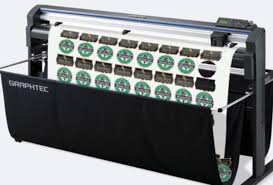
$169/MONTH NEW 64" Graphtec FC9000-160 For Automotive Professionals with 50 ft accurate tracking of Window Tint, PPF Film & Vinyl. Roll-fed Cutting Plotter

Sale

$169/MONTH NEW 64" Graphtec FC9000-160 For Automotive Professionals with 50 ft accurate tracking of Window Tint, PPF Film & Vinyl. Roll-fed Cutting Plotter
- Sale price
- $169
- Regular price
- $225
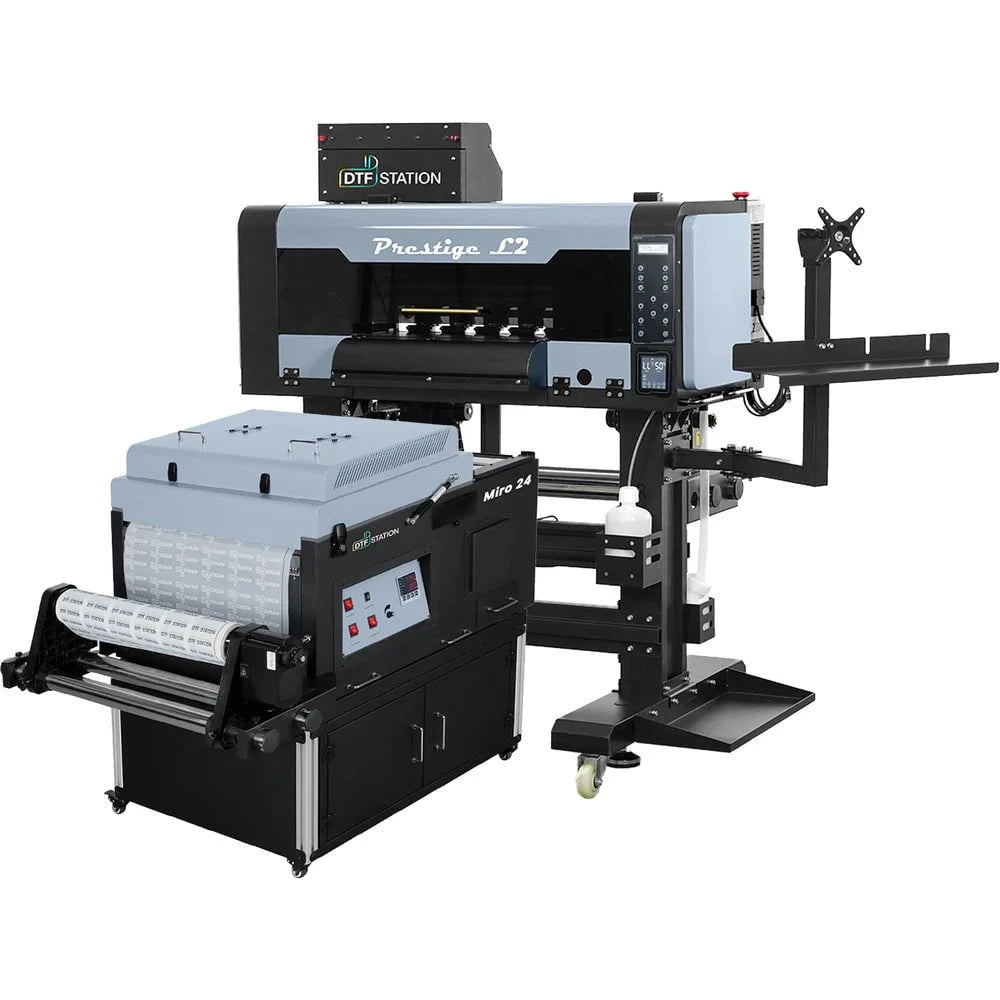
$379/month Prestige L2 18.5" DTF Printer Dual i3200 with Miro 16 Automatic Powder Applicator/Shaker oven and Built-In Oven
Sale
$379/month Prestige L2 18.5" DTF Printer Dual i3200 with Miro 16 Automatic Powder Applicator/Shaker oven and Built-In Oven
- Sale price
- $379
- Regular price
- $465
$195/Month 27" IN-STOCK Yinstar High Precision 27" Commercial Production DTF Printer with 2x i3200-A1 Epson Printheads DTF Powder Shaker.


Sale


$195/Month 27" IN-STOCK Yinstar High Precision 27" Commercial Production DTF Printer with 2x i3200-A1 Epson Printheads DTF Powder Shaker.
- Sale price
- $195
- Regular price
- $249
$247/Month 24" IN-STOCK Yinstar WI-FI DTF Printer with 2x Epson I3200 Print Heads Including DTF Powder Shaker Machine with Air Filter and Auto Powder Recycling System


Sale


$247/Month 24" IN-STOCK Yinstar WI-FI DTF Printer with 2x Epson I3200 Print Heads Including DTF Powder Shaker Machine with Air Filter and Auto Powder Recycling System
- Sale price
- $247
- Regular price
- $350
Learn More About The RICOH MP C4504 Color Laser Multifunction Printer and How It May Fit Your Business - For Sale By Absolute Toner In Canada

To personalise digital workflows on the RICOH MP C4504 Colour Multifunction Printer (MFP) with Workstyle Innovation Technology, use your knowledge of your regular tasks. On a large 10.1"-wide Super VGA Smart Operation Panel, choose from a variety of user interfaces for simple fingertip control. In order to automate manual tasks, create one-touch shortcuts. Place your own information-rich widgets on the control panel to quickly and easily check settings and important information. Produce more job types in more formats quickly and easily without sacrificing security or wasting resources, including brilliant colour prints on a variety of paper stocks. Add user authentication to safeguard data and promote more ethical printing. And use mobile technologies to stay productive wherever you are.
RICOH MP C4504 Color MFP Printer - Benifitis and Features
- Use flick, pinch and swipe motions to navigate an interactive user interface
- Customise your own automated workflows to reduce manual tasks
- Use your personal mobile device to print and share information anywhere
- Showcase your work in brilliant colours with professional finishing
GENERAL SPECIFICATION
- SPEED B/W : 45 Pages Per Minute
- SPEED COLOR : 45 Pages Per Minute
- RESOLUTION : 1200 x 1200 dpi
- PAPER CAPACITY : Dual 550 Sheet Drawers
- VOLUME : 80,000 Copies Per Month
- TONER IMPRESSIONS B/W : 33,000 Impressions
- TONER IMPRESSIONS COLOR : 22,500 Impressions
- COPIER TYPE : Office Copier
- COLOR CAPABILITY : Color Copier
- PROPERTIES : Copier-Printer-Scan-fax
ADDITIONAL INFORMATION
- FIRST COPY B/W : 4 Seconds
- FIRST COPY COLOR : 5.7 Seconds
- OUTPUT SIZE : 3.5" x 5.8" / 12" x 18"
- DIMENSIONS (H X W X D) : 27" x 23.1" x 37.9"
- WEIGHT : 228 lbs
- POWER : 120 Volts, 15 Amps
- PROPERTIES : Copier-Printer-Scan-fax
MP C4504 Color Laser Multifunction Printer
Your workflow will be streamlined by the Ricoh MP C4504 Color Laser Multifunction Printer's simple controls and user interface. It offers a wide variety of apps to accommodate numerous working styles. A variety of apps are available for the Ricoh Aficio MP C4504 to accommodate various working styles. It is also designed to support various workflows so that you can use your business data.
All-in-one productivity covers everything you do
Affordability should be combined with strong performance and convenient customization. With the Ricoh MP C4504 Color Laser Multifunction Printer (MFP), you can switch between tasks with pinpoint accuracy. Up to 45 pages per minute of colourful output can be printed (ppm). Through one-touch scanning workflows, customised shortcuts, and mobile convenience, you can instantly share them with anyone. To save time, you can also send and receive paperless faxes through email.
Use personalization to push the pace
With the 10.1" wide Smart Operation Panel, you can work in a new way. For quicker digital workflows, integrate multiple processes and decomplexify difficult tasks. Installing apps as widgets on the Home Screen after downloading them. With a single swipe or tap, you can check settings, look up information, and finish tasks.
Minimize manual touchpoints
To automate digital workflows and omit tedious steps, click on recognisable apps. For special features like ID Card Copy or Easy Book Scan®, create one-touch paths. To make your workflows simpler, add the plug-and-play workflow software of your choice. The multifunction device also comes with a web browser, allowing you to share data directly from the device using cloud-based applications or the internet to cut down on delays.
Make your point more colorful
Utilize vivid colours and text that is as sharp as 1200 dpi to reduce the cost of outsourcing. Every printed page maintains a professional appearance because the device is constantly calibrating. For posters, banners, and other collateral, print on heavier paper stocks and distribute an image over several pages. For the best spot-color reproductions, add the Fiery® E-23C Color Controller.
Mobile printing and cloud connectivity take work with you
To connect to the MP C4504 multifunction laser printer without drivers, utilities, or software, download the Ricoh Smart Device Connector App. Access information in the cloud using your personal mobile device, then print it there. To distribute it to others, use your own personal address book. Alternately, scan an original at the MFP, send it to your device, and bring it along.
Plan for everyday savings
The MP C4504 offers a low 1.8 kWh/week Typical Electricity Consumption level. To save even more money, you can make duplex printing the default setting, programme automatic shutdowns for times when business is slow, and use the Eco-Friendly Widget to promote responsible printing. The MFP can be quickly brought out of sleep mode by touching the panel screen thanks to an inventive built-in motion detection sensor. An ENERGY STARTM certification will help you lessen your environmental impact.
Automate document finishing for almost any print job
Enhance automatic stacking, automatic stapling, and handling of paper. Depending on the size of the job, add the optional Hybrid Stapleless + Stapler Finisher for staple-free or stapled document sets. To suit your particular needs, select another document finishing option, such as an internal stapler finisher.

A new way to work is within your reach
Slide from one job to the next with ease
To quickly switch between jobs and check settings, use the same gestures you use on your smartphone or tablet, such as scrolling with a swipe, dragging and dropping objects, and pinching and flicking. Utilize the responsive user interface on the oversized 10.1" Super VGA Smart Operation Panel to quickly access information. You can only move between tasks by tapping icons because there are no hard keys. You can even print, scan, copy, and fax using the user interface's practical one-touch controls. Don't worry; we didn't disregard what has previously been successful. You have the option of using the legacy user interface present on earlier Ricoh devices on a touchscreen.
Use intuition to work smarter
Making decisions is simpler when you have the necessary information. You can access information at any time thanks to workstyle innovation technology. Use the "smart apps" user interface to gain quick, intuitive access to information with a single glance. To automate routine print, copy, scan, and fax workflows and lessen time-consuming manual entry that can sabotage even your best ideas, select one of the recognisable apps below. With a tap of your finger, you can quickly check any setting, including the number of prints, scan-to locations, and finishing options. Need to alter the settings or processes? To make adjustments in just a few seconds, touch the interactive Smart Operation Panel once more.
Customise workflows to simplify information flow
Utilize Ricoh Workstyle Innovation Technology to simplify your workday and implement workflow applications that streamline business processes. You can then use what you already know about routine tasks to develop one-of-a-kind, customised solutions that are powered by the Smart Operation Panel. Do you consistently print the same spreadsheet types? Do you scan and distribute the meeting's notes afterward? Integrate various processes and make complex tasks simpler so you can press an icon to finish them quickly without having to repeat any steps or work. The interactive user interface can also be used as a one-touch shortcut for unique tasks.
Empower users to work quickly, collectively
Grab and share information automatically
Send information quickly to the appropriate recipients in the appropriate format. Access the Document Server's up to 3,000 frequently used documents. Without servers, system integration, or software updates, you can capture files and images in the Cloud by using the built-in browser. For simpler retrieval, you can add keyword-searchable metadata to that data using optional Optical Character Recognition (OCR) software. Prepared to spread the word? Utilize the 220-Sheet Single Pass Document Feeder to scan originals at up to 180 ipm, and use the scan-to features to send digital files to any recipient, anywhere.
Hold yourself and others accountable
You can monitor each user's activity, set print quotas, limit access to particular features, and more with user authentication. By entering a passcode or billing code, or by swiping an ID card across an optional NFC card reader at the device, each user logs in to the MP C4504. Users of Locked Print can only release jobs for printing while seated at the MFP, preventing unauthorised printing and assisting in the protection of sensitive data.
MANY MORE BUSINESS OFFICE MACHINES AND LASER COPIER FAX 11X17 PRINTERS ARE AVAILABLE FROM XEROX SAMSUNG LEXMARK HP HEWLETT PACKARD TOSHIBA CANON IMAGERUNNER ADVANCE MINOLTA BIZHUB KYOCERA MITA RICOH BROTHER AND MORE WWW.ABSOLUTETONER.COM
Servicing the G.T.A. and Surrounding Areas
Brampton, Burlington, Etobicoke, Halton Hills, Markham, Milton, Mississauga, North York, Oakville, Richmond Hill, Scarborough, Toronto, Vaughan, Pickering, New Market, Maple
Color Copiers, used photocopiers, Repossessed copiers, Epson printer, used office copier, used office printer, copier rental, photocopier rental, copier lease, Rent a copier, Lease a copier, hp printer, Lexmark printer, Buy copier, Mono Printer, Buy copier, Brampton, printer machine epson, Lease copier Brampton, xerox color printer, photocopier leasing, new copier, lightly used copier, canon copier, hp printer machine, laser printer, Ricoh copier, Xerox printer, toronto copiers, cheap copiers, cheap printers, toronto copier, desktop printer, printer scanner copier, office photocopier, repossessed copier, copier and printer machine, repossessed photocopier, color laser printer canada, xerox printer with scanner, copier and scanner, copier and fax machine, a3 printer scanner copier, copier warranty, photocopier warranty, Copier service.
- Choosing a selection results in a full page refresh.