Menu

Trending Top Sellers
HP DeskJet 4132e All-in-One Printer Includes Six Months of FREE Ink Through HP Ink Replacement Program and HP 1 Year Extended Warranty


Sale


HP DeskJet 4132e All-in-One Printer Includes Six Months of FREE Ink Through HP Ink Replacement Program and HP 1 Year Extended Warranty
- Sale price
- $75
- Regular price
- $149
New Prestige R2 PRO 13" Media Roll DTF Printer 110V A3 (Dual Epson i1600 Print Heads) - Includes Prestige R2 Pro DTF Printer, Startup Package and Accessories


Sale


New Prestige R2 PRO 13" Media Roll DTF Printer 110V A3 (Dual Epson i1600 Print Heads) - Includes Prestige R2 Pro DTF Printer, Startup Package and Accessories
- Price
- From $198
New Prisma Auto Clam Slider 110V 16X20" Inch DTF Heat-Press GS-105HS-Grey/Black With Auto Open Slider Feature And Pressure Sensor


Sale


New Prisma Auto Clam Slider 110V 16X20" Inch DTF Heat-Press GS-105HS-Grey/Black With Auto Open Slider Feature And Pressure Sensor
- Sale price
- $1,398
- Regular price
- $1,499
Cap Heat Press (PROMO: Including 5 Cap Press Lower Platen) Curved For Baseball Hats and Caps DTF Station Galaxy GS-501


Sale


Cap Heat Press (PROMO: Including 5 Cap Press Lower Platen) Curved For Baseball Hats and Caps DTF Station Galaxy GS-501
- Sale price
- $695
- Regular price
- $895
New Prestige R2 13" DTF Printer Bundle - Includes Prestige R2 DTF Printer, Startup Package and Accessories

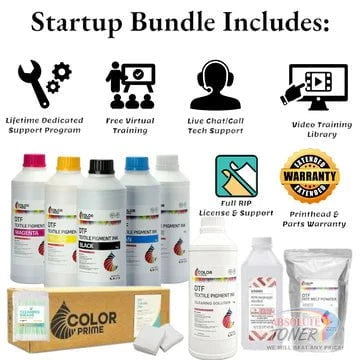

New Prestige R2 13" DTF Printer Bundle - Includes Prestige R2 DTF Printer, Startup Package and Accessories
- Price
- From $167
New Prestige R1 13" DTF Printer Bundle - Includes Prestige R1 DTF Printer, Startup Package and Compatible Machine Options


Sale


New Prestige R1 13" DTF Printer Bundle - Includes Prestige R1 DTF Printer, Startup Package and Compatible Machine Options
- Price
- From $116
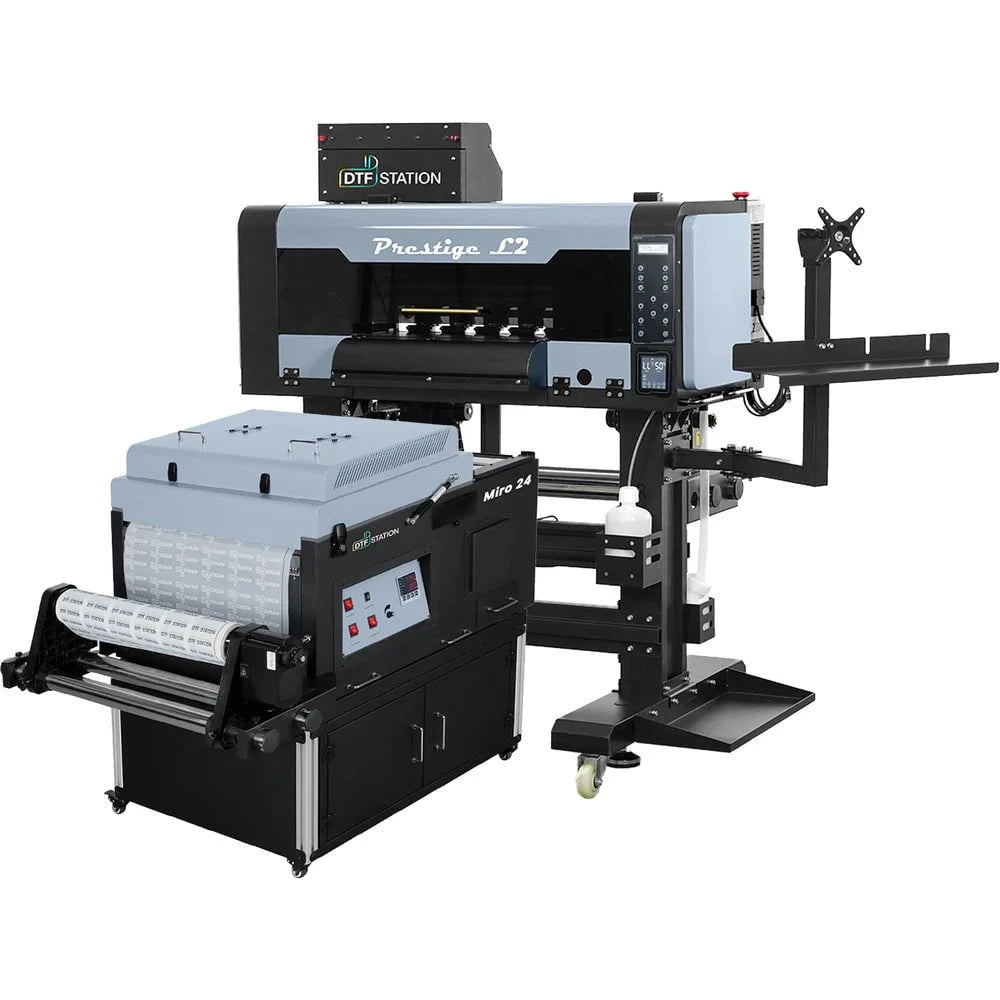
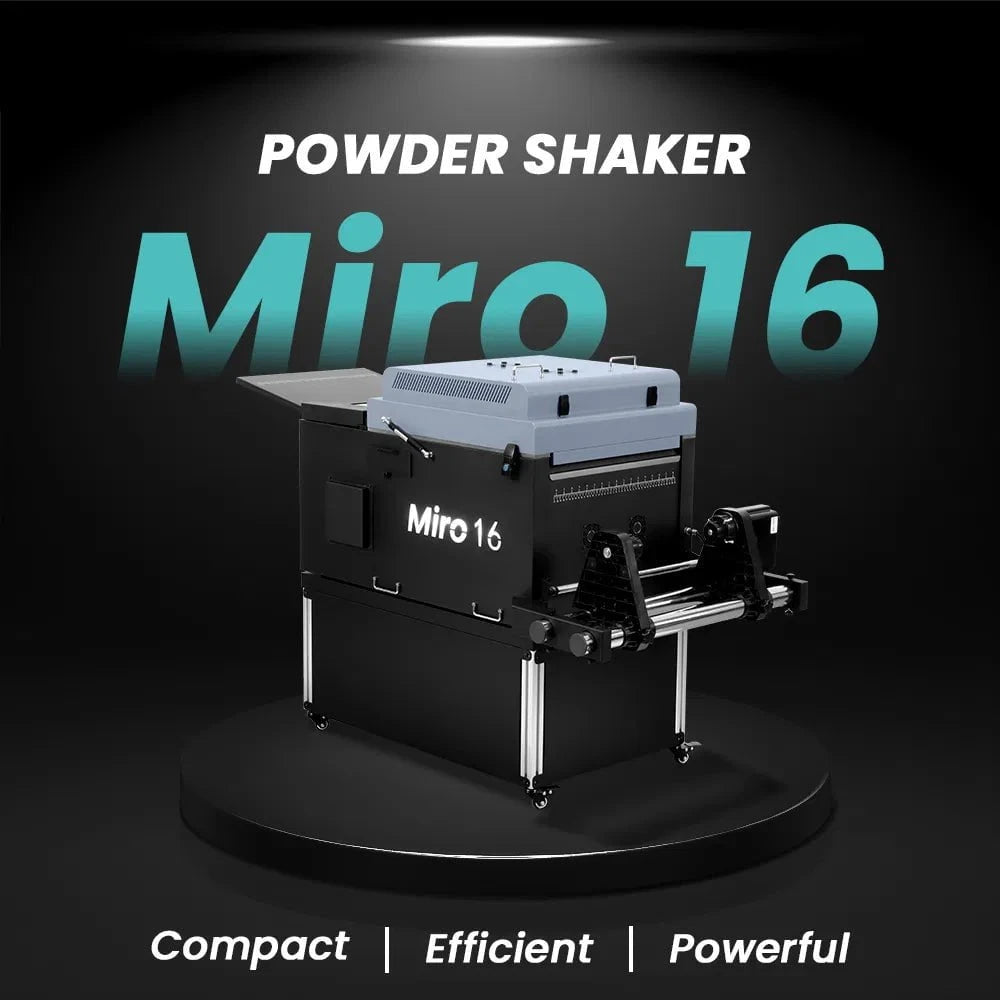
$323/month Prestige L2 18.5" DTF Printer Dual i3200 with Miro 16 Automatic Powder Applicator/Shaker oven and Built-In Oven
Sale
$323/month Prestige L2 18.5" DTF Printer Dual i3200 with Miro 16 Automatic Powder Applicator/Shaker oven and Built-In Oven
- Sale price
- $323
- Regular price
- $483
Prestige XL2 24" DTF Printer with optional Bundle Accessories (Shaker/Oven/Purifier)


Sale


Prestige XL2 24" DTF Printer with optional Bundle Accessories (Shaker/Oven/Purifier)
- Price
- From $342
$398/Month 9-Colour BUNDLE 24" Prestige XL2 PRO New DTF Station Printer with MIRO 24 Automatic Powder Applicator/Shaker/Oven/Purifier


Sale


$398/Month 9-Colour BUNDLE 24" Prestige XL2 PRO New DTF Station Printer with MIRO 24 Automatic Powder Applicator/Shaker/Oven/Purifier
- Sale price
- $398
- Regular price
- $520
$195/month BRAND NEW DTF Station Aries 213 UV DTF with i3200HD Printer 2-in-1 Printing and Laminating With Exceptional Colour Accuracy


Sale


$195/month BRAND NEW DTF Station Aries 213 UV DTF with i3200HD Printer 2-in-1 Printing and Laminating With Exceptional Colour Accuracy
- Sale price
- $195
- Regular price
- $250
$449/month - Aries 124 – 24" (60cm) Commercial UV DTF Printer with Automatic Lamination


Sale


$449/month - Aries 124 – 24" (60cm) Commercial UV DTF Printer with Automatic Lamination
- Sale price
- $28,880
- Regular price
- $39,995
$91/mo. Auto-Feed and Cut 16pt. 13x19 (400GSM) - Business Cards, Door Hangers, Labels, Decals, Gift Boxes, Thermal Transfer and more...


Sale


$91/mo. Auto-Feed and Cut 16pt. 13x19 (400GSM) - Business Cards, Door Hangers, Labels, Decals, Gift Boxes, Thermal Transfer and more...
- Sale price
- $91
- Regular price
- $117
$174/Month 4ftx8ft IN-STOCK Plytronix Pneumatic Flatbed Laminator Applicator Smart Mounting Table with LED Mounting and Laminating


Sale


$174/Month 4ftx8ft IN-STOCK Plytronix Pneumatic Flatbed Laminator Applicator Smart Mounting Table with LED Mounting and Laminating
- Sale price
- $174
- Regular price
- $299
$195/Month 5ftx11ft IN-STOCK Plytronix Pneumatic Flatbed Laminator Applicator Smart Mounting Table with LED Mounting and Laminating

Sale

$195/Month 5ftx11ft IN-STOCK Plytronix Pneumatic Flatbed Laminator Applicator Smart Mounting Table with LED Mounting and Laminating
- Sale price
- $195
- Regular price
- $265
$125/month JAGUAR 70" AUTOMOTIVE SPECIAL EDITION PPF/TINT Cutter Plotter with Anti-Static kit and Tint Velvet Film.


Sale


$125/month JAGUAR 70" AUTOMOTIVE SPECIAL EDITION PPF/TINT Cutter Plotter with Anti-Static kit and Tint Velvet Film.
- Sale price
- $125
- Regular price
- $179
$94/month 50" JAGUAR AUTOMOTIVE SPECIAL EDITION TINT/PPF V-LX J5-101LX-SE Cutter Plotter with Anti-Static kit and Tint Velvet Film.

Sale

$94/month 50" JAGUAR AUTOMOTIVE SPECIAL EDITION TINT/PPF V-LX J5-101LX-SE Cutter Plotter with Anti-Static kit and Tint Velvet Film.
- Sale price
- $94
- Regular price
- $145
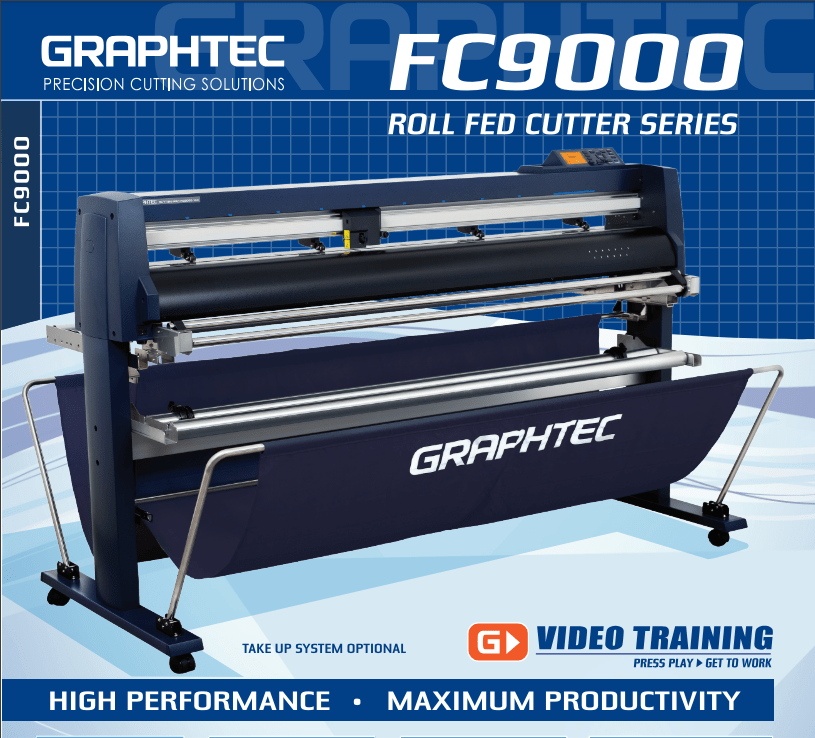
42'' Graphtec FC9000-100 For the Automotive Professionals with 50 ft accurate tracking of Window Tint Film & Vinyl, Roll-fed Cutting Plotter
Sale
42'' Graphtec FC9000-100 For the Automotive Professionals with 50 ft accurate tracking of Window Tint Film & Vinyl, Roll-fed Cutting Plotter
- Sale price
- $129
- Regular price
- $169
$189/MONTH NEW 64" Graphtec FC9000-160 For Automotive Professionals with 50 ft accurate tracking of Window Tint, PPF Film & Vinyl. Roll-fed Cutting Plotter

Sale

$189/MONTH NEW 64" Graphtec FC9000-160 For Automotive Professionals with 50 ft accurate tracking of Window Tint, PPF Film & Vinyl. Roll-fed Cutting Plotter
- Sale price
- $189
- Regular price
- $249
$134/month Graphtec AKZ Engineered for TINT/PPF with Stand, Media Basket and PPF Anti-electrostatic Kit.
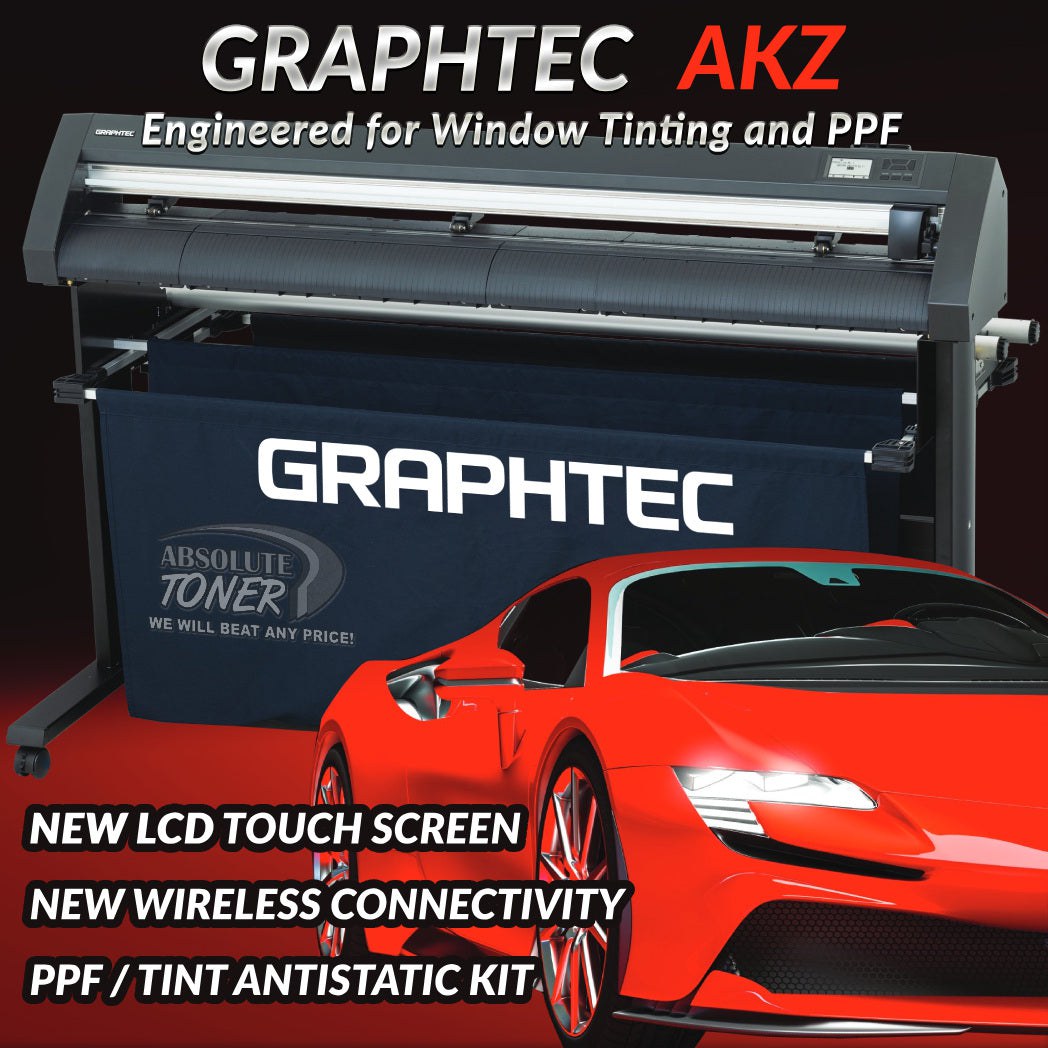
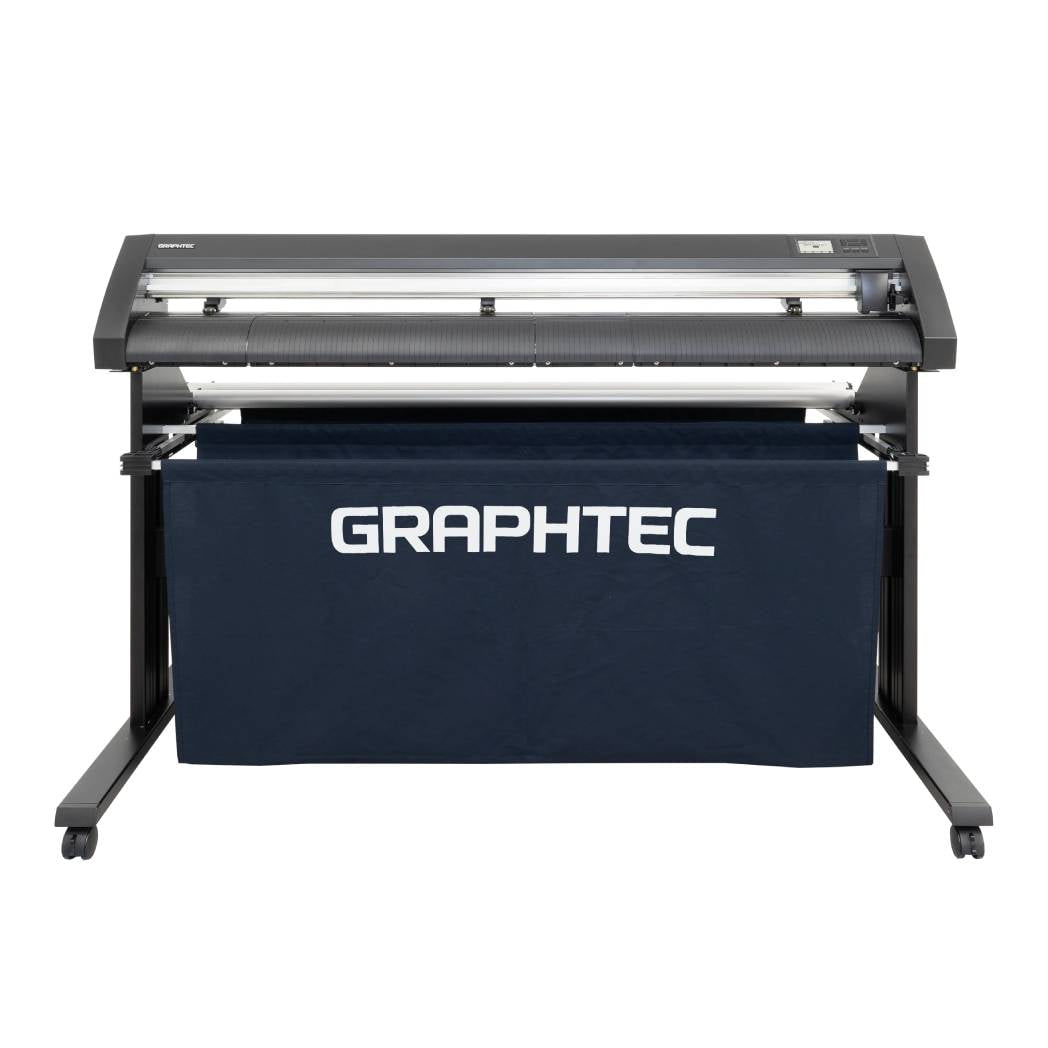
$134/month Graphtec AKZ Engineered for TINT/PPF with Stand, Media Basket and PPF Anti-electrostatic Kit.
- Sale price
- $134
- Regular price
- $159
$115/month PLYTRONIX Pneumatic PRO 64” with Anti-Static System, Large Format Auto High-Speed Cold/Hot Laminator for Signs, Graphics, Banners, Prints & More


$115/month PLYTRONIX Pneumatic PRO 64” with Anti-Static System, Large Format Auto High-Speed Cold/Hot Laminator for Signs, Graphics, Banners, Prints & More
- Sale price
- $115
- Regular price
- $195
Commercial Printers: A Comprehensive Guide to Choosing the Right One for Your Business

In today's fast-paced business landscape, having access to reliable and high-quality printing solutions is essential for any company. Commercial printers have become a cornerstone of efficient office operations, serving a wide range of industries and business needs. In this article, we'll delve into the world of commercial printers, exploring their types, benefits, considerations for selection, and more. Let's get started!
Introduction
In an era where digital communication reigns supreme, the significance of physical documents and marketing materials remains undeniable. Commercial printers bridge the gap between the digital and physical worlds, allowing businesses to bring their ideas to life on paper. Whether it's producing marketing brochures, business reports, or promotional materials, a reliable commercial printer is a must-have tool for any organization.
Types of Commercial Printers
Inkjet Printers
Inkjet printers are known for their versatility and cost-effectiveness. They work by propelling droplets of ink onto paper, creating high-resolution images and text. Inkjet printers are suitable for businesses requiring vibrant color output and moderate printing volumes. However, their printing speed might not be ideal for high-volume tasks.
Laser Printers
Laser printers excel in producing crisp, high-quality text and graphics. They use a toner cartridge and heat to fuse the toner onto the paper, making them perfect for high-volume printing with excellent speed and precision. Laser printers are preferred for offices demanding professional-looking documents and a fast turnaround time.
Digital Presses
Digital presses are the heavy-duty workhorses of the printing world. They offer exceptional speed, quality, and flexibility, making them suitable for large-scale printing projects. Digital presses can handle various paper sizes, weights, and finishes, making them a favorite in industries like publishing and marketing.
Key Features to Consider
Print Speed and Volume
When choosing a commercial printer, the print speed and volume capabilities are crucial factors. Assess your business's average printing requirements and select a printer that can meet those needs without sacrificing quality.
Print Quality and Resolution
The print quality and resolution determine how sharp and clear your printed materials will be. Higher resolution is essential for detailed images and small font sizes, ensuring your documents maintain a professional appearance.
Paper Handling Options
Consider the types and sizes of paper your business frequently uses. Some printers offer versatile paper handling options, such as multiple trays or the ability to print on envelopes and labels.
Factors to Evaluate Before Purchase
Budget and Cost of Ownership
Commercial printers vary widely in price, so it's vital to establish a budget before starting your search. Additionally, consider the ongoing costs, including ink or toner replacement and maintenance kits.
Connectivity and Compatibility
Modern printers offer various connectivity options, including USB, Ethernet, Wi-Fi, and mobile printing. Ensure the printer you choose is compatible with your existing devices and network.
Maintenance and Support
Check the manufacturer's reputation for customer support and the availability of maintenance services in your area. A reliable support system can significantly impact your printer's lifespan and performance.
Benefits of Commercial Printers
Cost-Efficiency at Scale
Investing in a commercial printer can lead to significant cost savings, especially for businesses with regular printing needs. Printing in-house reduces outsourcing expenses and provides better control over printing costs.
Customization and Personalization
Commercial printers allow you to customize your materials to suit your brand and message. This level of personalization enhances your marketing efforts and creates a memorable impression on your audience.
Speed and Efficiency
Waiting for printed materials from an external print shop can lead to delays. With a commercial printer, you can print documents on-demand, ensuring your business operations stay streamlined and efficient.
Selecting the Right Commercial Printer
Assessing Business Needs
Before making a decision, analyze your business's printing needs. Consider factors like the types of documents you frequently print, the desired print quality, and the average volume of printing.
Comparing Printer Specifications
Thoroughly research different printer models and compare their specifications. Pay attention to features like print speed, connectivity options, and the capacity of consumables.
Reading User Reviews
User reviews provide valuable insights into a printer's real-world performance. Look for reviews from businesses similar to yours to understand how the printer performs in a relevant context.
Setting Up Your Commercial Printer
Unboxing and Assembly
Carefully follow the manufacturer's instructions to set up your printer correctly. This includes unpacking the printer, installing components, and ensuring all parts are properly secured.
Driver Installation
Install the necessary printer drivers on your devices to enable seamless communication between your devices and the printer. Manufacturers often provide driver installation guides for various operating systems.
Network Configuration
For network-connected printers, configure the printer to connect to your Wi-Fi or Ethernet network. This step is essential for enabling remote printing from multiple devices.
Maintenance Tips for Longevity
Regular Cleaning and Inspection
Keep your printer clean by regularly removing dust and debris from both the exterior and interior components. Perform routine inspections to identify any potential issues early on.
Replacing Consumables
Ink, toner, and other consumables need to be replaced when depleted. Follow the manufacturer's guidelines for replacement to maintain print quality and prevent operational problems.
Firmware Updates
Manufacturers release firmware updates to improve printer performance and fix known issues. Regularly check for updates and install them to ensure your printer functions optimally.
Troubleshooting Common Issues
Paper Jams and Misfeeds
Paper jams are a common occurrence in printers. Follow the printer's manual to safely clear paper jams, and be cautious when handling delicate internal components.
Print Quality Problems
If your printed materials exhibit streaks, faded text, or other print quality issues, perform maintenance tasks such as cleaning print heads or replacing ink/toner cartridges.
Connectivity Glitches
Troubleshoot connectivity issues by ensuring the printer is properly connected to the network. Restart the printer and your devices if needed, and check for any error messages.
The Future of Commercial Printing
As technology continues to evolve, so does the world of commercial printing. Expect innovations like faster printing speeds, improved print quality, and enhanced connectivity options.
Conclusion
A reliable commercial printer can significantly enhance your business operations by providing cost-effective, customized, and efficient printing solutions. By considering your business needs, evaluating printer specifications, and following proper setup and maintenance procedures, you can maximize the benefits of a commercial printer for your organization's success.
FAQs
Can I use any type of paper with a commercial printer?-
Commercial printers often support a wide range of paper types and sizes. Refer to your printer's specifications for compatible paper options.
Are laser printers more expensive to maintain than inkjet printers?
-
While laser printers might have higher upfront costs, they often have lower long-term maintenance expenses due to their efficient toner usage.
Can I print wirelessly from my mobile device?
-
Yes, many modern commercial printers offer wireless printing capabilities. Install the manufacturer's app and follow the instructions for mobile printing.
Do commercial printers require professional setup?
-
Most commercial printers come with detailed setup guides that make self-installation possible. However, if you're unsure, it's advisable to seek professional assistance.
What is the lifespan of a typical commercial printer?
- The lifespan of a commercial printer can vary widely depending on usage, maintenance, and the manufacturer's quality. On average, a well-maintained printer can last several years.
- Choosing a selection results in a full page refresh.