HP REPOSSESSED LaserJet Enterprise MFP M630z Monochrome Multifunction Laser Printer Copier Scanner With LCD Touch Screen For Business - Use Large Economical Toner

Please Contact Us For The Best Price!
Call 905-326-2886 or email: info (at) absolutetoner.com

CONTACT FOR DETAILS »

Product Information

HP REPOSSESSED LaserJet Enterprise MFP M630z Monochrome B/W Multifunction Laser Printer Copier Scanner With LCD Touch Screen For Business - Use Large Economical Toner

  • Print, copy, scan, fax
  • Enhance productivity and safeguard information
  • Product walkaround
  • Product comparison
  • Key benefits at a glance
  • Enhance workflow with powerful performance
  • Protect your business information
  • Simplify mobile printing
  • Conserve resources without sacrificing performance
  • Technical specifications
  • Ordering information
  • Appendix A: Control panel features
  • Appendix B: Security features
  • Appendix C: Fleet management features

Overview

This powerful MFP enhances productivity, helps safeguard information, helps make mobile printing simple, and easily tackles large print jobs. Streamline crucial business processes and tasks with HP JetAdvantage solutions.

Enhance workflow with powerful performance

  • Finish faster without missing a page using single-pass, dual-sided scanning. HP EveryPage4 detects potential errors and missed pages on the spot.
  • Reduce employee time at the MFP by using the 100-sheet automatic document feeder (ADF).
  • Enter data more quickly and accurately with the Flow M630z model’s pull-out keyboard, create easily searchable scanned files using built-in OCR software, and scan and send documents to HP Flow CM8 or Microsoft SharePoint in one step.
  • Manage jobs directly at the MFP. Preview and edit scans, adjust images, and launch standard processes—all at the 8-inch (20.3 cm) color touchscreen. Walk up and print or scan right from a memory device via the easy-access USB port.
  • Easily tackle large jobs with a paper capacity of up to 3,100 sheets. Give employees the ability to organize jobs quickly and conveniently with finishing tools.
  • Quickly troubleshoot problems with cloud-based, up-to-date Online Help.

Protect your business information

  • Control access and safeguard information with a full suite of embedded and optional security settings, including features like encrypted PDFs, so content is seen only by authorized users.
  • Securely store print jobs, then print only what you need via secure authentication at the MFP.
  • Confidently safeguard sensitive data sent to your MFP with the encrypted hard drive.
  • Protect and manage your print environment with HP Imaging and Printing Security Center and HP Web Jetadmin.
  • HP FutureSmart Firmware and the Hardware Integration Pocket (HIP) let you easily upgrade solutions, on your schedule, as technologies advance.
  • Safeguard security keys, passwords, and certificates with the optional HP Trusted Platform Module.

Simplify mobile printing

  • Enable optional touch-to-print and touch-to-authenticate convenience from mobile devices.
  • Enable secure peer-to-peer direct-access mobile printing without connecting to the corporate network.
  • Print on the go from your mobile device with HP ePrint19 and Apple AirPrint.

Conserve resources without sacrificing performance

  • Help save energy with HP Auto-On/Auto-Off Technology.
  • Print reliably on a variety of paper types—even as light as 60 g/m2.
  • Conserve resources with an MFP that is ENERGY STAR qualified.

Enhance workflow with powerful performance

Ramp up productivity with this powerful MFP. Help keep the office running smoothly with fast scan speeds and a robust, efficiency-increasing feature set. Power through tasks and streamline processes with the optional HP Flow model and HP JetAdvantage Workflow Solutions.

Save time with fast two-sided scanning: The 100-sheet automatic document feeder allows you to scan two-sided documents in a single pass for quick job processing, without flipping pages by hand.

Feed documents without the hassle With the ADF, you can automatically:

  • Detect and remove blank pages from scanned documents, reducing file size.
  • Deskew sheets that are not inserted quite straight.
  • Determine the best output format and exposure for the data content.
  • Classify input original as either color or non-color.
  • Eliminate paper punch holes, staples, and black overscan lines with edge erase.

Expand scanning possibilities: The 8.5 by 14 in (216 by 356 mm) flatbed scanner lets you easily copy and scan non-standard and bound material. Color scanning comes standard on all HP MFPs.

Pull print jobs from your pocket: Walk up and print or scan right from a memory device. The easy-access USB near the control panel lets you quickly complete your print job from a flash drive. A variety of file types are supported.

Set up tasks with touchscreen ease The 8-inch (20.3 cm) color LCD touchscreen control panel offers:

  • Adjustable tilt angle to provide convenient access to all users.
  • Image preview, which lets you add, delete, reorder, and zoom in on pages.
  • Simple-to-use menus that allow you to set system defaults, customize settings for a particular job, and configure and launch HP Quick Sets.
  • Relevant Online Help gives clear instructions and illustrations, including animations for tasks such as jam recovery.
  • Easy-to-read status messages.
  • Localized virtual keyboards.

Scan and send right to your destination Easily integrate paper documents into the digital workflow—send scanned documents directly to a variety of destinations like email recipients, network folders, or LAN fax addresses, with no need for middleware. Built-in LDAP addressing simplifies email distribution. The Send-to-Email Default Setup Wizard and the Save-to-Folder Quick Set Wizard help you quickly and easily configure your HP MFP’s digital sending features.

Empower users with cloud-based sharing With HP Flow CM, you can store your business documents in the cloud, which allows you to easily and securely access and share information.8 Work with others where and when you want, using your smartphone, tablet, laptop, or desktop computer. Quickly find the information you need, share content securely, stay in sync, and maintain version control with this powerful collaboration software.

Make copies with ease The MFP may be used as a standalone, walk-up copier, and you do not need to be connected to the network or a computer to make copies. In copy mode, the MFP functions as a standard photocopier—place your originals on the scanner glass or use the automatic document feeder and adjust all copy settings at the control panel.

Enjoy reliable, outstanding results

Get consistently great-looking black-and-white output from the HP LaserJet Enterprise MFP M630 series. Choose HP FastRes 1200 for speedy day-to-day printing or HP ProRes 1200 for true 1200 by 1200 dpi where fine lines and details are critical to your job. The MFP was designed together with Original HP toner cartridges and HP papers to automatically produce exceptional output for your printed documents. Help save money and minimize interruptions by using the high-capacity Original HP toner cartridge, designed for greater value. HP SureSupply alerts you when your print cartridge is running low and helps you purchase online or locally through HP or a participating retailer.

Troubleshoot with ease

This MFP can help save your IT department valuable time when it comes to troubleshooting problems. The new Remote Control Panel allows users to operate the user interface remotely, so IT can troubleshoot problems without running to the MFP.35 Users can also quickly troubleshoot technical issues with HP’s innovative, cloud-based Online Help services that are relevant and up to date. Easily solve problems from your PC or mobile device. A QR code on the adjustable touchscreen links to quick, accurate Online Help using smartphones and tablets.11 You can also find these links in the HP Embedded Web Server event log.

Editjobs right at the MFP

The control panel on the HP LaserJet Enterprise MFP M630z features an image preview, which lets you minimize steps and reduce errors. Right from the device’s 8-inch (20.3 cm), full-color touchscreen control panel, you can view and edit your scan job before you send it. You can easily get your scans to look just the way you want them. Instantly preview and modify scans before sending them into the workflow, eliminating the need to walk back and forth from a computer. Scan multiple pages using the ADF and view them as thumbnail images, or zoom and pan for a detailed inspection. Before finalizing a document you can reorder, rotate, delete, add, or zoom in on pages. You can apply changes to a single page, or multiple pages at once. Batch separation allows users to create separate PDF or PDF/A files from scanned documents. The Flow MFP M630z model can also create PDF OCR and PDF/A OCR files.

Use HP Quick Sets to launch automated workflows

The MFP’s digital sending capability allows users to route documents to a variety of destinations like email recipients, network folders, fax, FTP, or a USB device. With the Flow M630z model, you can also send scans to Microsoft SharePoint or HP Flow CM.8 HP Quick Sets let you launch document workflows and get it right every time—at the touch of a button. HP Quick Sets helps by automating all of the steps of a complicated workflow, all on a large, full-color touchscreen. Users can find what they need right away. In addition to scan destinations, you can preset other scan settings. These can include output file types such as PDF, JPEG, TIFF, MTIFF, XPS, and PDF/A formats. You can also specify security settings, such as encrypted PDFs to be delivered through encrypted and signed emails. Quick Set buttons can be easily created, labeled, and placed on the control panel home screen so that you can quickly find the functions you need (some examples are shown in the graphic on the next page). Quick Sets help IT by enabling them to promote or block access to certain device features. Calls to the helpdesk can be reduced when users have everything they need on the home screen and are restricted from accessing settings they shouldn’t tamper with.

Easily manage security across the fleet

HP Imaging and Printing Security Center

Apply efficient, fleet-wide security policies to protect all your HP print devices with optional HP Imaging and Printing Security Center (IPSC)

  • Streamline the process to securely deploy and monitor devices by applying a single security policy across the fleet.
  • Easily create a print security policy for your environment by leveraging the HP IPSC Base Policy template.
  • Secure new HP devices as soon as they are added to your network with HP Instant-on Security. The software automatically configures settings to comply with your corporate security policy.
  • Improve the security of your infrastructure and device communications by deploying unique identity certificates across your fleet and continuously monitoring to ensure they remain valid with HP IPSC’s efficient fleet management of certificates. The administrative overhead to install unique identity certificates across your fleet of HP devices is now less than manually installing on a single device.
  • Actively maintain and verify compliance with your defined security policies by using HP IPSC automated monitoring and risk-based reporting.

HP ArcSight Printer Integration

HP ArcSight provides real-time monitoring of the security posture of HP imaging and printing devices with the industry-leading Security Information and Event Management (SIEM) tool.

  • HP FutureSmart imaging and printing device security events are logged and easily collected.
  • Events are analyzed, correlated, and risks are highlighted in the ArcSight dashboard & pre-built reports.
  • Devices can be easily monitored by IT security as part of the broader IT ecosystem and can enable them to take corrective actions.
General Terms & Conditions

VIEW OUR TERMS & CONDITIONS

DTF Terms & Conditions

It is important that you carefully read and understand the DTF Printer Purchase – Terms & Conditions before completing your purchase.

TERMS & CONDITIONS

All prices are listed in CAD and exclude applicable taxes. Unless otherwise stated, prices do not include shipping, setup, or training. Certain equipment may require mandatory training. Monthly lease payments may be subject to a required down payment. Please contact us for complete details.


Ask our Print Specialists for help · 905-326-2886

Pickup Location at 1300 Alness St. Unit 1A, Concord, ON

We Accept

American Express
Apple Pay
Diners Club
Discover
Google Pay
Mastercard
Visa
Have a Question?

Service Care Program

Ask Us About Our All-Inclusive Program That Includes Toner, Parts, Service. *Available on some products; may not be available on this equipment.

Copier Deals

$549/Month Open Box Recertified Mimaki UCJV330-130 54-Inch UV-LED Integrated Roll to Roll Inkjet Printer Never Been Inked or Used With Significantly Improved Productivity And Image Quality For Sign Graphics
Absolute Toner Brand New Mimaki UCJV330-130 54" Inch UV-LED Integrated Roll to Roll Inkjet Printer With Significantly Improved Productivity And Image Quality For Sign Graphics Printers/Copiers
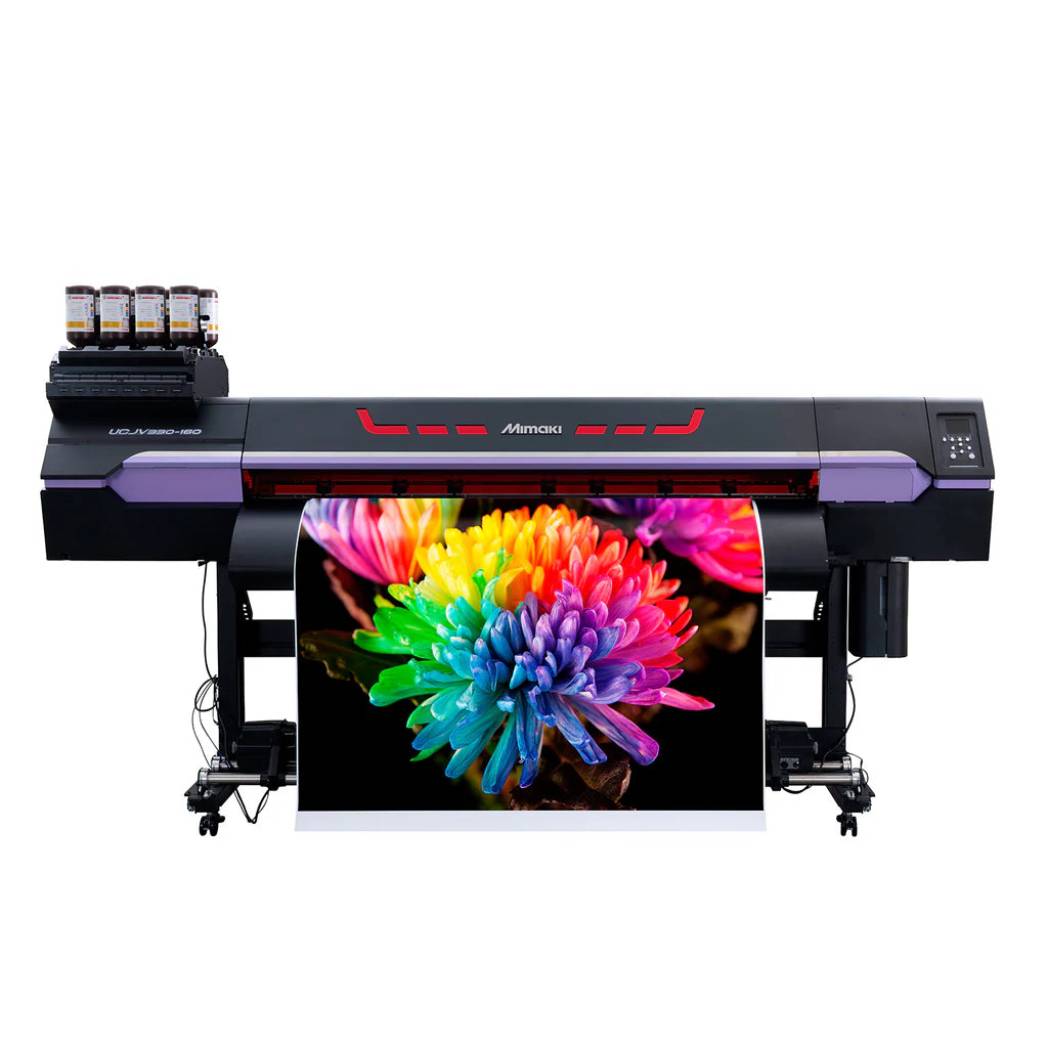

$549/Month Open Box Recertified Mimaki UCJV330-130 54-Inch UV-LED Integrated Roll to Roll Inkjet Printer Never Been Inked or Used With Significantly Improved Productivity And Image Quality For Sign Graphics
Great Value. Expert Support. 905-326-2886
$5100/Month Brand New Mimaki JFX600-2531 8ft x 10ft UV-LED Large Flatbed Inkjet Printer Equipped With 6 Color Inks
Absolute Toner Brand New Mimaki JFX600-2531 8ft x 10ft UV-LED Large Flatbed Inkjet Printer Equipped With 6 Color Inks Printers/Copiers

$5100/Month Brand New Mimaki JFX600-2531 8ft x 10ft UV-LED Large Flatbed Inkjet Printer Equipped With 6 Color Inks

Great Value. Expert Support. 905-326-2886
Pre-owned Canon imageRUNNER ADVANCE C3530i III Colour Laser Multifunction Printer 12x18 PRE-OWNED
Absolute Toner 95/Month Canon imageRUNNER ADVANCE C3530i III Colour Laser Multifunction Printer 12x18 With Low to Mid volume Printers/Copiers

Pre-owned Canon imageRUNNER ADVANCE C3530i III Colour Laser Multifunction Printer 12x18 PRE-OWNED

Price
$3,250
$195/month GOLD KIT - GOLD/WHITE/SLV/CLR - Xerox C60 Production Printer with SERVER FIERY
Sale
Absolute Toner $149/month Xerox Color C60 Pro Production Printer with Integrated Scanner & Copier* Xerox Printer
Absolute Toner $195/month GOLD KIT - GOLD/WHITE/SLV/CLR - Xerox C60 Production Printer with SERVER FIERY Xerox Printer

$195/month GOLD KIT - GOLD/WHITE/SLV/CLR - Xerox C60 Production Printer with SERVER FIERY

Sale price
$195
Regular price
$998
$135/month Xerox® PrimeLink® C9065 Color Production Laser Printer - 2400x2400 DPI for Flyers and Business cards printing.
Sale
Absolute Toner $119/month Xerox® PrimeLink® C9065 Color Production Laser Printer & Scanner – 13"x26" Oversize Media Support – Low Count (Only 28K Prints)* Xerox Printer

$135/month Xerox® PrimeLink® C9065 Color Production Laser Printer - 2400x2400 DPI for Flyers and Business cards printing.

Sale price
$6,950
Regular price
$35,000
Canon imageRUNNER ADVANCE C5560i III Color Multifunction Printer – High-Speed A3 Office Printer (Store Display Unit)
Absolute Toner Canon imageRUNNER ADVANCE C5560i III Color Multifunction Printer – High-Speed A3 Office Printer (Store Display Unit) Canon Printer

Canon imageRUNNER ADVANCE C5560i III Color Multifunction Printer – High-Speed A3 Office Printer (Store Display Unit)

Price
Free
$49/month Ricoh MP C4504EX Color Laser Multifunction Printer – Print, Copy, Scan, Fax | 45 ppm | 1200x1200 dpi*
Absolute Toner $49/month Ricoh MP C4504EX Color Laser Multifunction Printer – Print, Copy, Scan, Fax | 45 ppm | 1200x1200 dpi* Ricoh Printer

$49/month Ricoh MP C4504EX Color Laser Multifunction Printer – Print, Copy, Scan, Fax | 45 ppm | 1200x1200 dpi*

Sale price
$2,499
Regular price
$4,599
Ricoh MP 3555 Black and White Laser Multifunction Printer – Copier, Scanner, Fax | Low Use*
Absolute Toner Ricoh MP 3555 Black and White Laser Multifunction Printer – Copier, Scanner, Fax | Low Use* Ricoh Printer

Ricoh MP 3555 Black and White Laser Multifunction Printer – Copier, Scanner, Fax | Low Use*

Sale price
$1,950
Regular price
$2,689
$65/Month Ricoh IM3000 Color Multifunction Printer – Printer, Copier, Scanner | Only 20K Pages*
Absolute Toner $65/Month Ricoh IM3000 Color Multifunction Printer – Printer, Copier, Scanner | Only 20K Pages* Ricoh Printer

$65/Month Ricoh IM3000 Color Multifunction Printer – Printer, Copier, Scanner | Only 20K Pages*

Sale price
$2,950
Regular price
$5,200
$89/Month Canon imageRUNNER ADVANCE C5535i III Color Multifunction Printer | Copier | Scanner for Office – Lightly Used, Only 2K Pages*
Absolute Toner $89/Month Canon imageRUNNER ADVANCE C5535i III Color Multifunction Printer | Copier | Scanner for Office – Lightly Used, Only 2K Pages* Canon Printer

$89/Month Canon imageRUNNER ADVANCE C5535i III Color Multifunction Printer | Copier | Scanner for Office – Lightly Used, Only 2K Pages*

Sale price
$89
Regular price
$139
$149/month Xerox Color C60 Pro Production Printer with Integrated Scanner & Copier*
Absolute Toner $149/month Xerox Color C60 Pro Production Printer with Integrated Scanner & Copier* Xerox Printer

$149/month Xerox Color C60 Pro Production Printer with Integrated Scanner & Copier*

Sale price
$6,950
Regular price
$8,999
Canon imagePROGRAF 24" Large Format Printer WITH STAND – NEW Store Display Model*
Absolute Toner $33/month Canon imagePROGRAF TC-20 24" Large Format Printer – Store Display Model* Canon Printer

Canon imagePROGRAF 24" Large Format Printer WITH STAND – NEW Store Display Model*

Great Value. Expert Support. 905-326-2886

View More

Shop All

Recommended for You

Recently Viewed