Menu

Trending Top Sellers
$6000USD OFF + $2000USD Trade-in cash back (Expired March 15th, 2026) Brand New Mimaki CJV330-130 54" Production Large Format Printer and Cutting Plotter


Sale


$6000USD OFF + $2000USD Trade-in cash back (Expired March 15th, 2026) Brand New Mimaki CJV330-130 54" Production Large Format Printer and Cutting Plotter
- Sale price
- $266
- Regular price
- $435
$228/Month($2000 USD Trade Cash Back) 54" NEW Mimaki CJV200-130 Print & Cut Eco-Solvent Vinyl Printer Cutter Plotter


Sale


$228/Month($2000 USD Trade Cash Back) 54" NEW Mimaki CJV200-130 Print & Cut Eco-Solvent Vinyl Printer Cutter Plotter
- Sale price
- $228
- Regular price
- $267
$266/Month ($2000 USD Trade Cash Back) 64" NEW Mimaki CJV200-160 Print & Cut Eco-Solvent Vinyl Printer Cutter Plotter

Sale

$266/Month ($2000 USD Trade Cash Back) 64" NEW Mimaki CJV200-160 Print & Cut Eco-Solvent Vinyl Printer Cutter Plotter
- Sale price
- $266
- Regular price
- $305
$195/month GOLD KIT - GOLD/WHITE/SLV/CLR - Xerox C60 Production Printer with SERVER FIERY


Sale


$195/month GOLD KIT - GOLD/WHITE/SLV/CLR - Xerox C60 Production Printer with SERVER FIERY
- Sale price
- $195
- Regular price
- $998
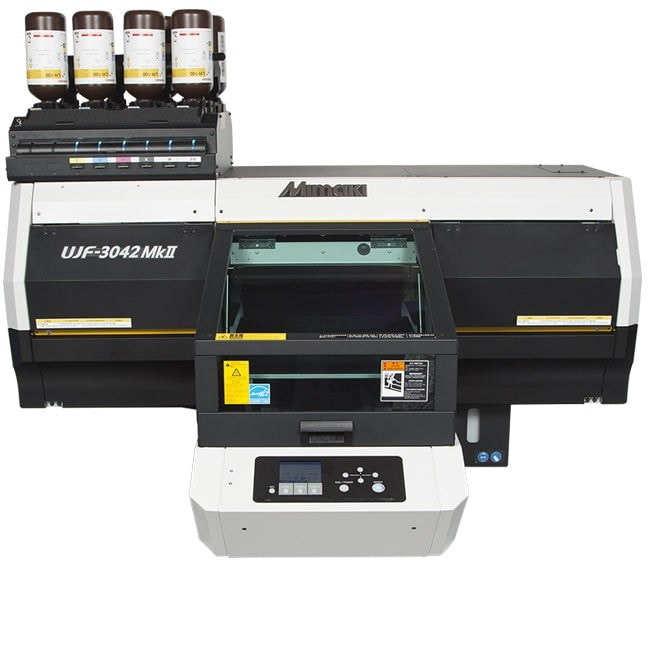
$265/Month Mimaki UJF-3042MKII UV-LED Curable Flatbed Printer - REPO Excellent condition
Sale
$265/Month Mimaki UJF-3042MKII UV-LED Curable Flatbed Printer - REPO Excellent condition
- Sale price
- $16,950
- Regular price
- $30,133
$474/month Mimaki UJF-6042MkII UV-LED Flatbed UV Printer - REPO Excellent condition


Sale


$474/month Mimaki UJF-6042MkII UV-LED Flatbed UV Printer - REPO Excellent condition
- Sale price
- $474
- Regular price
- $650
New Prestige R2 PRO 13" Media Roll DTF Printer 110V A3 (Dual Epson i1600 Print Heads) - Includes Prestige R2 Pro DTF Printer, Startup Package and Accessories


Sale


New Prestige R2 PRO 13" Media Roll DTF Printer 110V A3 (Dual Epson i1600 Print Heads) - Includes Prestige R2 Pro DTF Printer, Startup Package and Accessories
- Price
- From $198
BIG PROMO: $117/month NEW GRAPHTEC AUTOMOTIVE MODEL TINT/PPF ANTI-STATIC KIT Kit/Stand, Basket
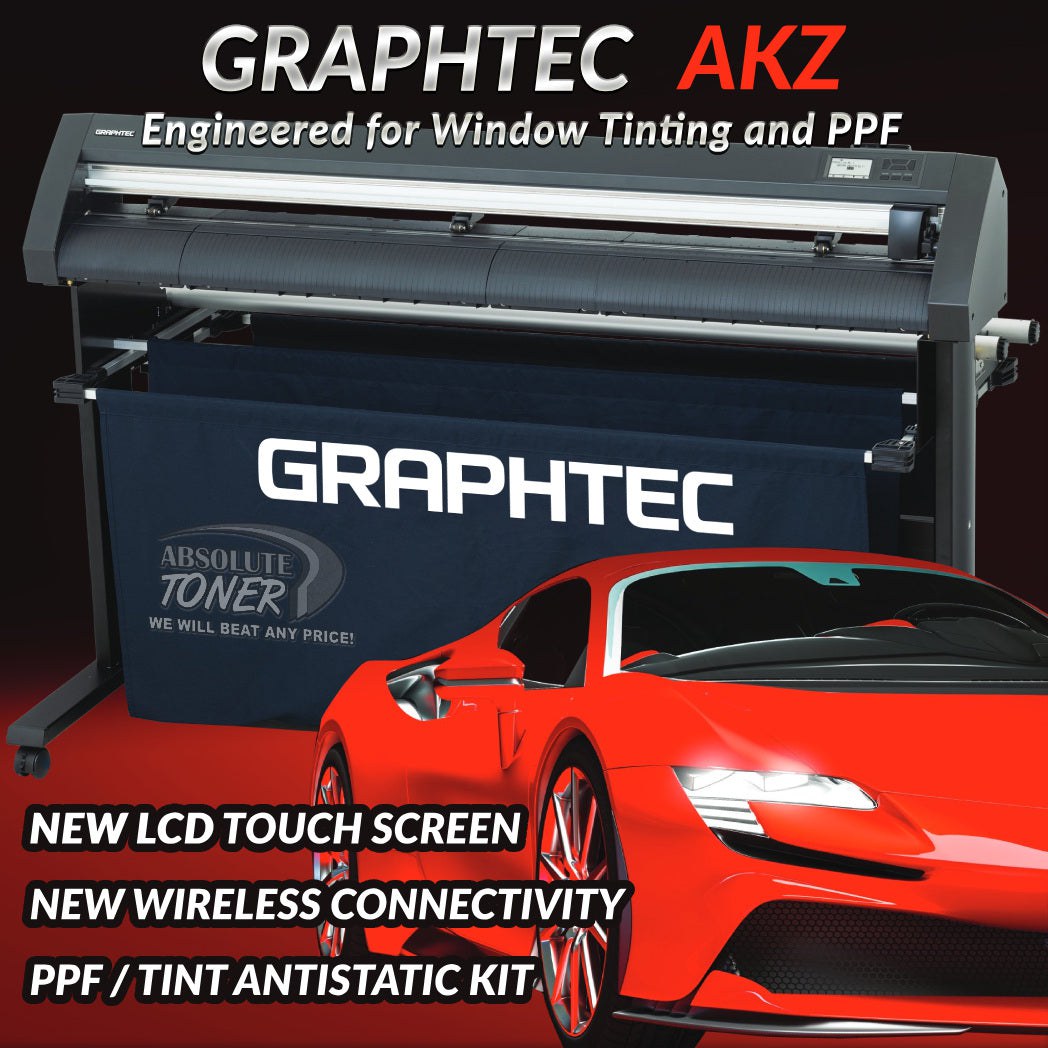
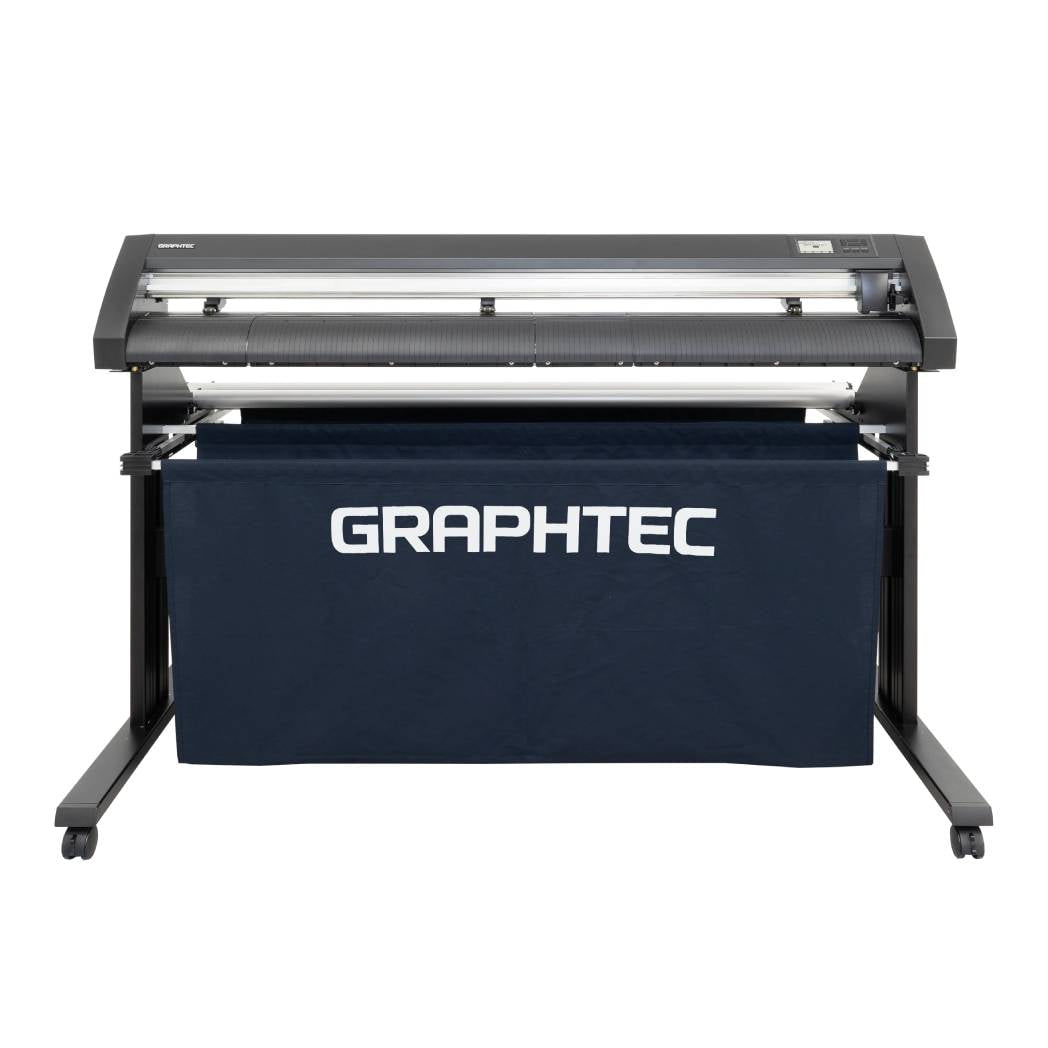
BIG PROMO: $117/month NEW GRAPHTEC AUTOMOTIVE MODEL TINT/PPF ANTI-STATIC KIT Kit/Stand, Basket
- Sale price
- $5,980
- Regular price
- $6,980
$117/month JAGUAR 70" AUTOMOTIVE SPECIAL EDITION PPF/TINT Cutter Plotter with Anti-Static kit and Tint Velvet Film.


Sale


$117/month JAGUAR 70" AUTOMOTIVE SPECIAL EDITION PPF/TINT Cutter Plotter with Anti-Static kit and Tint Velvet Film.
- Sale price
- $117
- Regular price
- $179
New Prestige R1 13" DTF Printer Bundle - Includes Prestige R1 DTF Printer, Startup Package and Compatible Machine Options


Sale


New Prestige R1 13" DTF Printer Bundle - Includes Prestige R1 DTF Printer, Startup Package and Compatible Machine Options
- Price
- From $132
$623/Month Brand New 4ftx8ft Premium Industrial UV Flatbed Printer with 6 Printheads


Sale


$623/Month Brand New 4ftx8ft Premium Industrial UV Flatbed Printer with 6 Printheads
- Sale price
- $39,995
- Regular price
- $53,000
$458/Month – imaxcan 8FT x 4FT UV Flatbed Printer | High-Precision Large Format Printing for Industrial Applications


$458/Month – imaxcan 8FT x 4FT UV Flatbed Printer | High-Precision Large Format Printing for Industrial Applications
- Sale price
- $29,995
- Regular price
- $55,000
$458/Month 4ftx4ft UV LED Flatbed industrial Printer 3x i3200U1 Printheads and Photoprint Software.


Sale


$458/Month 4ftx4ft UV LED Flatbed industrial Printer 3x i3200U1 Printheads and Photoprint Software.
- Sale price
- $29,895
- Regular price
- $35,000
$398/Month 9-Colour BUNDLE 24" Prestige XL2 PRO New DTF Station Printer with MIRO 24 Automatic Powder Applicator/Shaker/Oven/Purifier


Sale


$398/Month 9-Colour BUNDLE 24" Prestige XL2 PRO New DTF Station Printer with MIRO 24 Automatic Powder Applicator/Shaker/Oven/Purifier
- Sale price
- $398
- Regular price
- $520
$285/month - Aries 124 – 24" (60cm) Commercial UV DTF Printer with Automatic Lamination


Sale


$285/month - Aries 124 – 24" (60cm) Commercial UV DTF Printer with Automatic Lamination
- Sale price
- $285
- Regular price
- $788
$156/month UV Flatbed Printer Yinstar A3 size with optional Rotary tool.


Sale


$156/month UV Flatbed Printer Yinstar A3 size with optional Rotary tool.
- Sale price
- $7,995
- Regular price
- $12,000
$136/month - YINSTAR A3 (110V) DTF Bundle Printer/Shaker x2 Epson Print Heads w/ Automatic Powder Applicator/Oven.


$136/month - YINSTAR A3 (110V) DTF Bundle Printer/Shaker x2 Epson Print Heads w/ Automatic Powder Applicator/Oven.
- Sale price
- $6,995
- Regular price
- $9,995
$195/Month 64" Mimaki PRINT & CUT CJV150-160 Industrial Large Format Printer and Cutting Plotter


Sale


$195/Month 64" Mimaki PRINT & CUT CJV150-160 Industrial Large Format Printer and Cutting Plotter
- Sale price
- $11,995
- Regular price
- $18,000
$285/Month NEW REPO (ONLY 100 PAGES PRINTED) Canon imagePRESS C810 Colour Commercial Production Printer Copier Scanner 350GSM and Up To 81 PPM


Sale


$285/Month NEW REPO (ONLY 100 PAGES PRINTED) Canon imagePRESS C810 Colour Commercial Production Printer Copier Scanner 350GSM and Up To 81 PPM
- Sale price
- $285
- Regular price
- $1,200
Roland 8 Colors TrueVIS VG-540 ( VG540) 54" Inches TR2 Eco-Solvent Wide Format Plotter Printer Printer/Cutter (Print and Cut)


Sale


Roland 8 Colors TrueVIS VG-540 ( VG540) 54" Inches TR2 Eco-Solvent Wide Format Plotter Printer Printer/Cutter (Print and Cut)
- Sale price
- $9,500
- Regular price
- $12,500
how to print from iPhone to your Printer/Copier?
How to print from iPhone and iPad
Print with an AirPrint printer

Whether you want to print from your iPhone or iPad to your HP, Canon, Lexmark, Ricoh or Xerox the process is almost identical. The only difference is really where you might find the share button (square with up arrow). This button may also move around depending on if you’re using portrait or landscape mode.
- Make sure your iPhone or iPad is on the same Wi-Fi network as your printer
- Find the document, image, or other file you’d like to print
- Tap the share button (square with up arrow, available in almost all apps)
- If you don’t see the share button, you can either tap your screen to see if it shows up or take a screenshot (press side button and volume up on modern iPhones) then you can print from the Photos app
- After tapping the share button, swipe down and tap Print
- Choose a printer if you don’t have one already selected
- Tap Print in the top right corner
If you have an AirPrint compatible printer, you’ll see it automatically show up across iOS. Here’s how the process looks in the Files app on iPhone (share button in the top right on iPad Files app):
Print without AirPrint
Even if your printer isn’t AirPrint enabled you may still be able to print from iPhone and iPad. The most common way this works is through an app from the manufacturer.
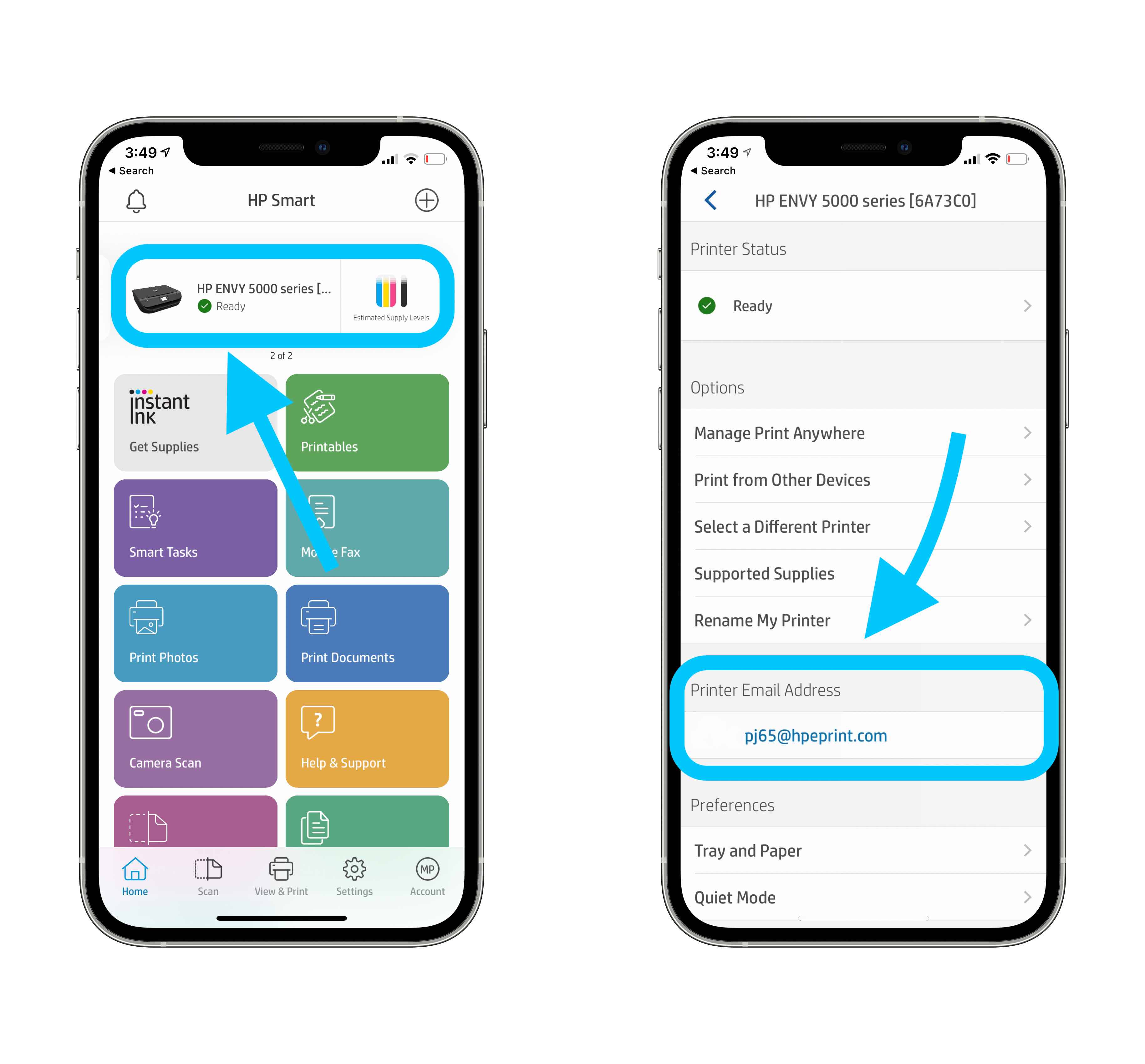
Here’s how the HP Smart iOS app works with HP printers:
You can access the printing option in most email and web browser apps just by clicking the share button in iOS. Whether it's a work-related report or a new recipe, sometimes it's just easier to read a hard copy rather than a digital file on your phone's tiny 6-inch screen.
Printing from your iPhone is simple, as long as you're connected to a printer that's compatible with AirPrint.
For example, you can browse your iPhone or iPad’s documents, photos, and more directly from the app and quickly print.
Check out similar apps from Canon, Lexmark, or search the App Store for an app from your printer’s manufacturer. Many printers are both AirPrint compatible and work via the manufacturer’s app.
Look for a button similar to the one shown above. Once you’ve pressed it, navigate to Settings → Wi-Fi and look for an open network that contains your printer’s brand or model name in it.
This Canon printer allows me to print wirelessly with this Canon_ij_Setup network and the Canon iOS app.
Print from iPhone with third-party apps, email, and Bluetooth
Another way to print from iPhone and iPad is with third-party software. Some solid options have been shared in the comments and via Twitter by readers. The most mentioned is Printopia while others have recommended Printer Pro by Readdle as worth checking out. Thanks for sharing, all!
Most of these apps give more control to how and what you can print and give you functionality even if you don’t have AirPrint.
One more feature is that your printer may have its own email address. This process is usually set up during the product registration or automatically in some cases. Once complete, you can print by using this email address, even if you’re away from your printer. Here’s how it looks to find your printer’s email address in the HP Smart app:
One less common way to print from an iOS device is via Bluetooth. This usually applies to a small portion of mobile printers, check your owner’s manual if this applies to yours.
Since every printer is different, you might need to look up your specific printer model on your manufacturer’s website.
We use our phones for nearly everything, which means you might need to print documents from your mobile device occasionally. You can also save a website or email as a PDF in the iPhone's Files app from this menu, too.
How to print or save a web page as a PDF on your iPhone
First, open the website you'd like to print in your phone's web browser.
Here's how to print or save web pages and emails as PDFs on your iPhone. In some apps, like Mozilla Firefox, you may need to tap a menu icon that looks like three dots to find the Share option. Check out this support page on Apple's website for a list of printers that work with AirPrint.
Then, tap the Share button. You can find this symbol on or near the search bar in Apple's Safari browser and in Google Chrome. In most apps, this looks like a square with an arrow pointing up, as shown below.
How to print or save an email as a PDF on your iPhone
Open the email you'd like to print and press the Print button. In Apple's Mail app, tap the arrow near the bottom of the screen and scroll down to the Print option. In Gmail, tap the button that looks like three dots located in the sender line and then choose Print. In Outlook, you'll also need to press an icon that looks like three dots near the top of the screen and press the Print Conversation option.
If you want to save the email as a PDF on your phone, long-press the document preview to enlarge it. Then, tap this enlarged preview to view the full document in preview mode.
How to print from an iPhone or iPad with a USB cable
To print from an iPhone or iPad with a printer that can't connect wirelessly, you'll have to use a piece of hardware as the go-between. You'll need a USB cable and a USB OTG (on-the-go) adapter that connects your iPhone to the USB cable.
To print from an iPhone or iPad with a USB cable:
1. Turn on your printer and connect one end of the USB cord to your printer and the other end to the USB OTG cord. Plug the other end of the USB OTG cord into your iPhone or iPad.
2. A pop-up should appear on your iPhone or iPad — tap "OK."
3. Then, on your iPhone or iPad, go to the document you wish to print and tap the Share button.
4. In the Share menu, select the "Print" option.
5. The connected printer should appear next to "Printer" on the Printer Options page.
6. Tap "Print" in the upper-right corner.
How to add a printer and print directly from your iPhone or iPad, with or without AirPrint
Steven John Apr 6, 2021, 3:33 PM
printing from iphone printer office
There's a few different ways to print from your iPhone — the easiest of which is using AirPrint. Mindful Media/Getty Images
The easiest way to print from your iPhone or iPad is with AirPrint.
When you add a printer to your iPhone with AirPrint, you can directly print with a wireless connection.
You can also print from your iPhone without AirPrint by downloading your printer's app or plugging in a USB cord to your printer.
Visit Insider's Tech Reference library for more stories.
If you want to print on your iPhone or iPad, it can be easier than you might think. The simplest way to print from an iPhone is by adding a printer with AirPrint, so you can print directly with a wireless connection.
You can also print wirelessly without AirPrint by downloading your printer's app on an iPhone or iPad, or by connecting your devices with a USB cable and adapter. Here's how to do it all.
How to print from an iPhone or iPad with AirPrint
Most current printers with wireless capabilities have the AirPrint feature, which allows the printer to easily sync up with an iPhone or iPad and print directly.
Quick tip: You can check this list of AirPrint-compatible printers to see if your printer has AirPrint. The list is very long, but if you hit control + F and type in the name of your printer, you can quickly check.
To add a printer to your iPhone or iPad with AirPrint and use it to print:
1. Open the document, image, or webpage you wish to print. This can be located in your email, web browser, Photos app, Files app, or elsewhere.
2. Locate and hit the "Share" button, which is the square with an arrow aiming upward out of its center. If you don't see this button, depending on the app you're using, you may need to select the icon of three horizontal dots or the icon of an arrow pointing to the left.
airprint
Tap the "Share" button.
3. In the pop-up, scroll down until you see an icon of a printer next to the word "Print."
Select "Print" from the list of actions. Grace Eliza Goodwin/Insider
4. Tap "Print," and on the next screen, tap "Select Printer" at the top. Find and select the name of the nearby printer you wish to use.
Tap "Select Printer" and find your printer in the list on the next page. Grace Eliza Goodwin/Insider
5. Hit the word "Print" written in blue in the top-right corner of the screen.
The AirPrint enabled printer will now be added to your list of preferred devices and will come up as an option for printing whenever in range. You can add another printer to your iPhone at any time by following the same steps with a new printer.
How to print from an iPhone or iPad without AirPrint
Not all printers have the AirPrint feature, especially if they are a bit older. But if they have a wireless capability, you should still be able to print from it wirelessly — you'll just have to download your printer's app on the App Store.
A quick tip: If you have an HP printer, download the HP Smart app on your iPhone or iPad. Or, for Canon printers, download the Canon PRINT InkJet app.
To set up a printer on your iPhone or iPad without AirPrint and use it to print:
1. Open your printer's app on your device.
2. Turn on your printer's Wi-Fi.
3. Go into your phone or tablet's "Settings" and hit the Wi-Fi tab.
4. Locate your printer under "OTHER NETWORKS" and tap on it.
5. Pull up the document, image, or webpage you want to print, then hit the "Share" icon.
6. You should now be able to connect the printer through the app and print.
- Choosing a selection results in a full page refresh.